> ## Documentation Index
> Fetch the complete documentation index at: https://docs.dodopayments.com/llms.txt
> Use this file to discover all available pages before exploring further.
# Discord 权限
> 当客户购买时,在您的 Discord 服务器中授予他们一个角色,并在其订阅结束时自动撤销该角色。
Discord 权限在客户的订阅激活或一次性购买完成时,将其添加到您的服务器(并可选地分配一个角色)。取消、退款和计划更改会自动撤销角色。
## 交付内容
* 客户通过其递送邮件或客户门户中的 OAuth 链接连接其 Discord 账户。
* 一旦授权,Dodo Payments 将他们添加到您的服务器(或找到其现有成员资格),并分配您配置的角色。
* 如果未选择特定角色,仅授予服务器成员身份。
此集成非常适合付费社区、支持者特权和分级访问渠道。
## 连接 Discord
在您的 Dodo Payments 仪表板中,转到 **Entitlements** 并点击 **+** 来开始新的权限。
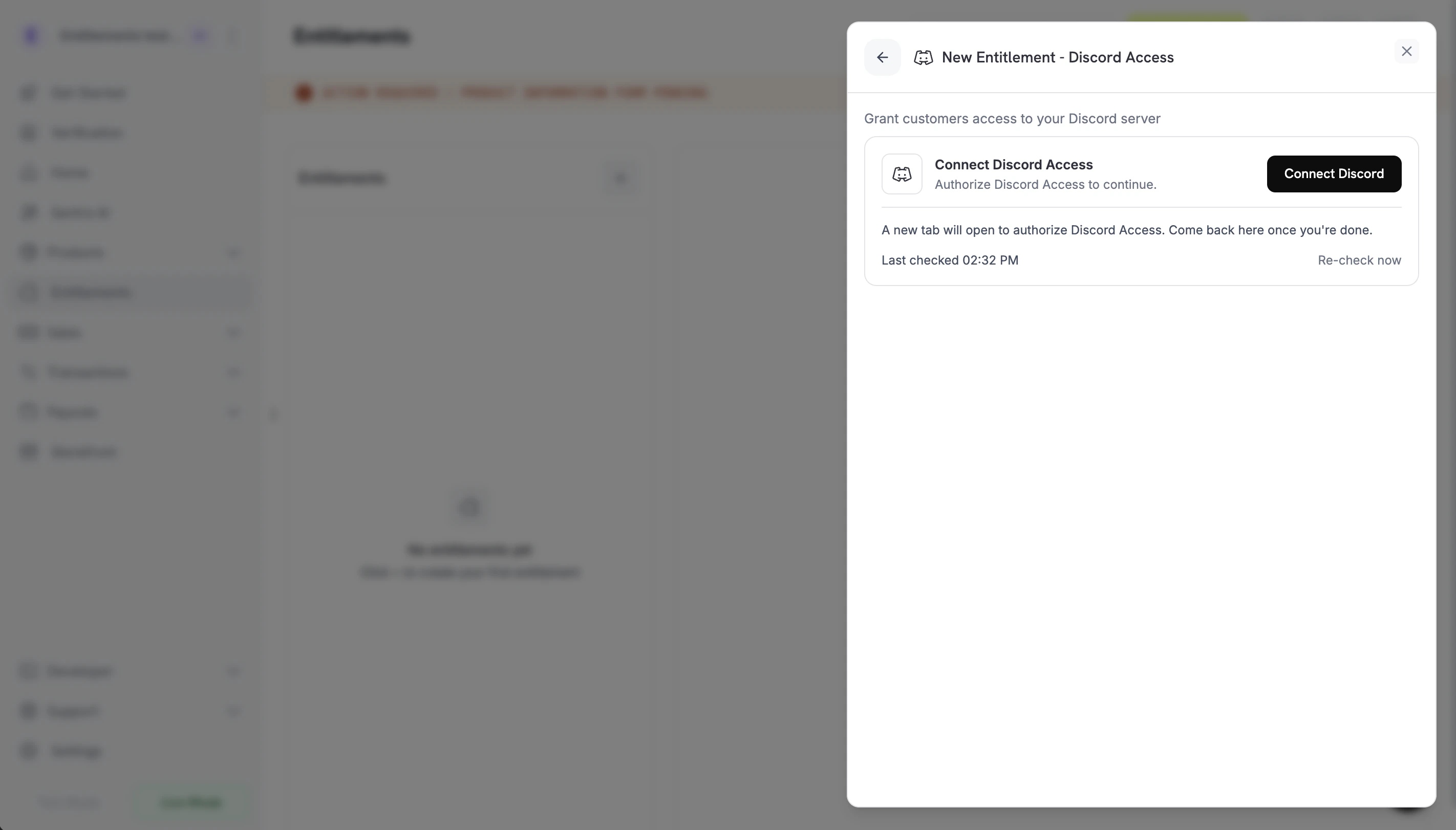
选择 **Discord Access** 作为集成。如果尚未为您的业务连接 Discord,系统将提示您 **Connect Discord**。
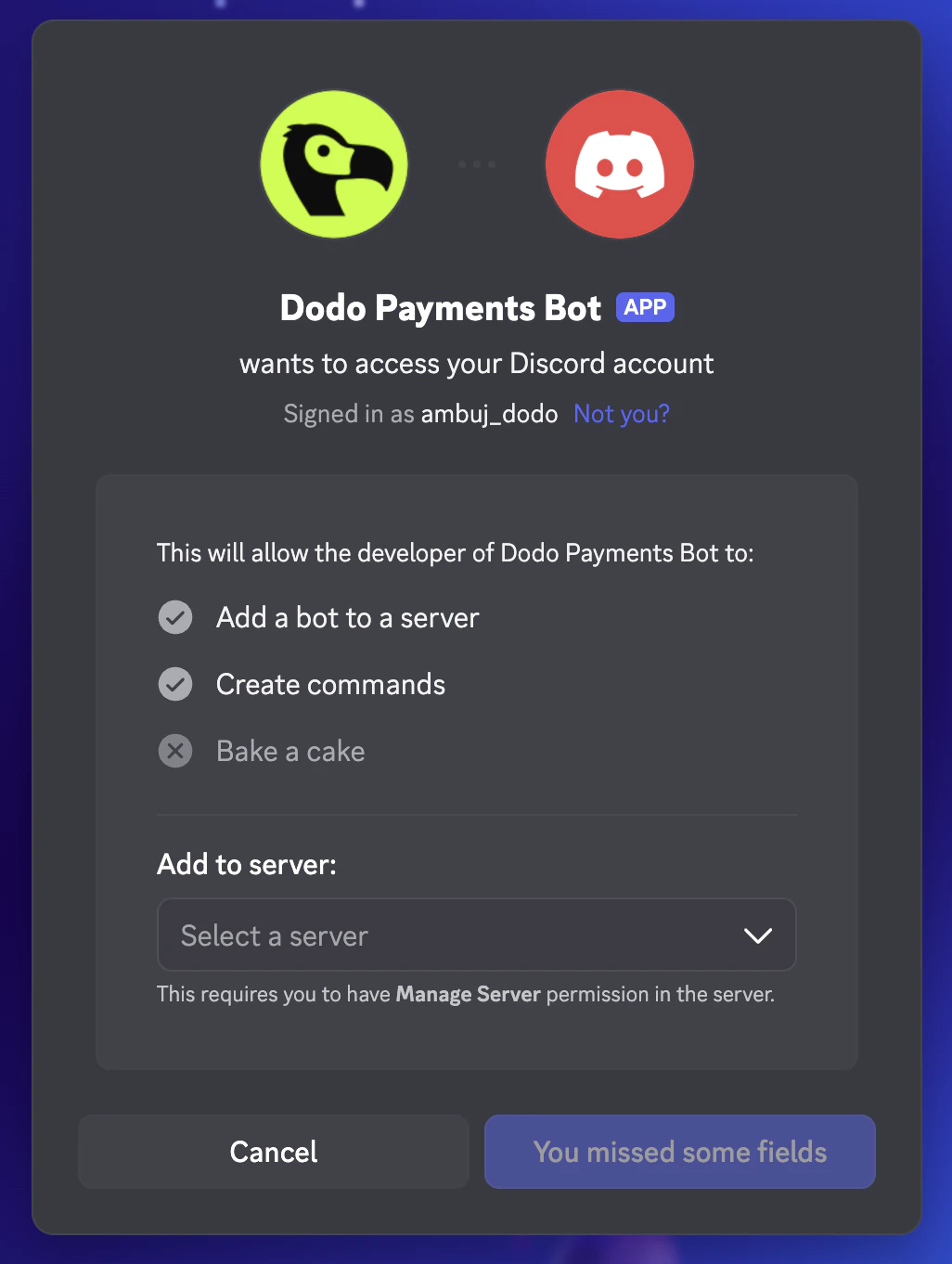
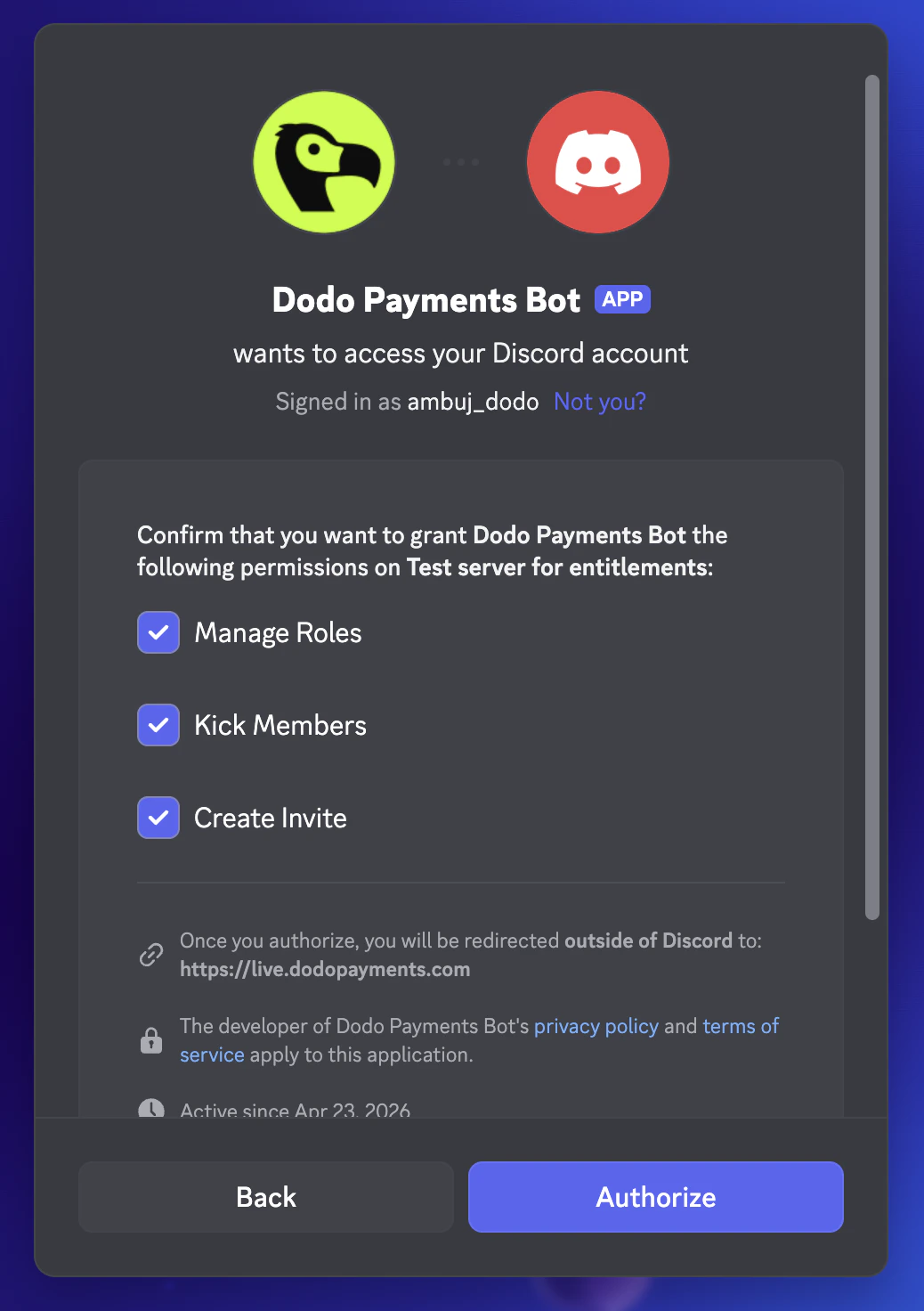
 点击后会在新标签页中打开 Discord。登录,选择您要管理的服务器,并确认该服务器上的机器人的权限(管理角色、踢出成员、创建邀请)。
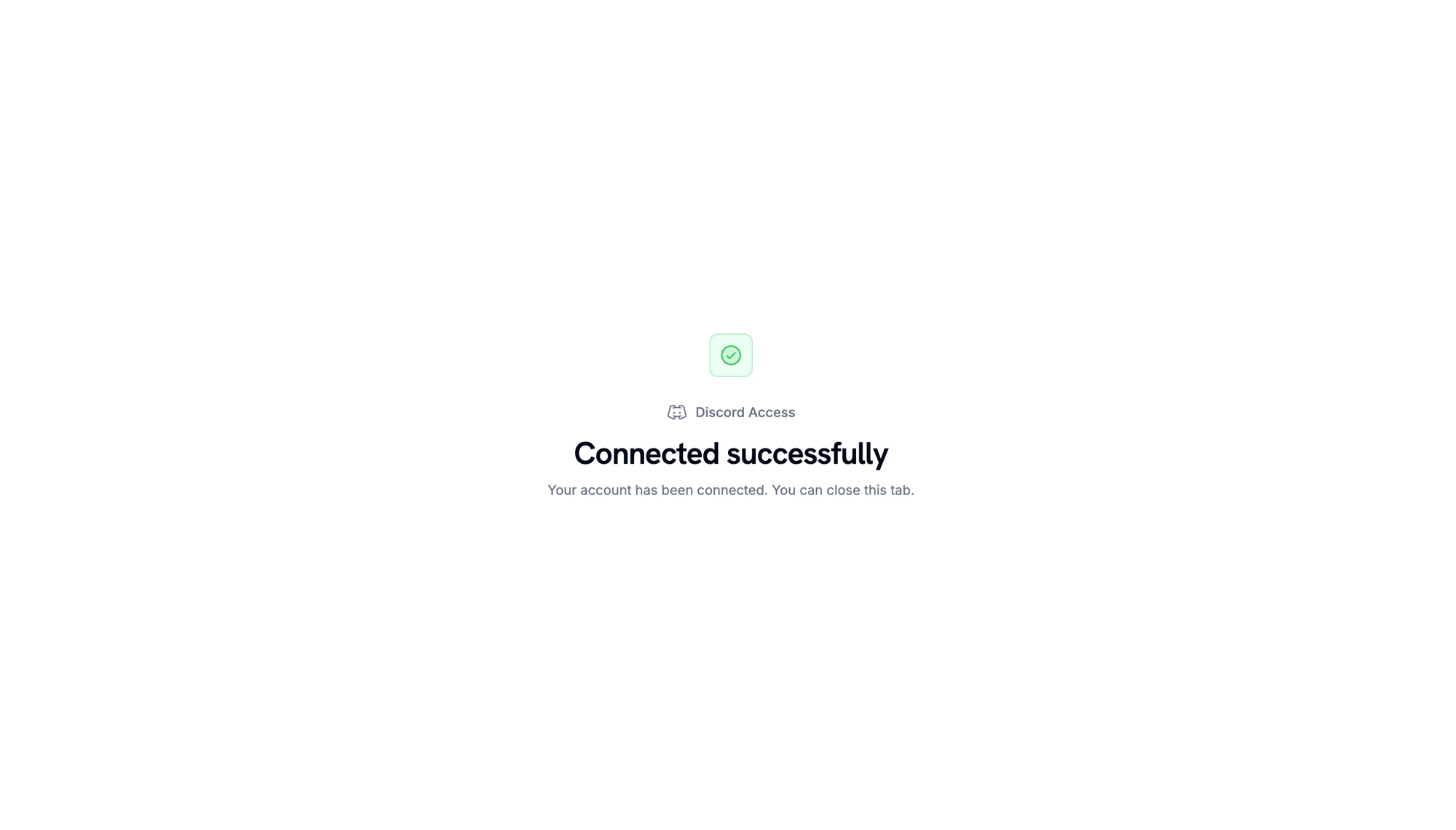
当 Discord 重定向回来时,您会看到服务器已连接的确认信息。
点击后会在新标签页中打开 Discord。登录,选择您要管理的服务器,并确认该服务器上的机器人的权限(管理角色、踢出成员、创建邀请)。
当 Discord 重定向回来时,您会看到服务器已连接的确认信息。
 返回仪表板,选择您刚连接的 **server**(公会)。可选择一个 **role** 在交付时分配,或将其留空以仅授予服务器成员资格。给权限一个 **name** 然后点击 **Create Entitlement**。
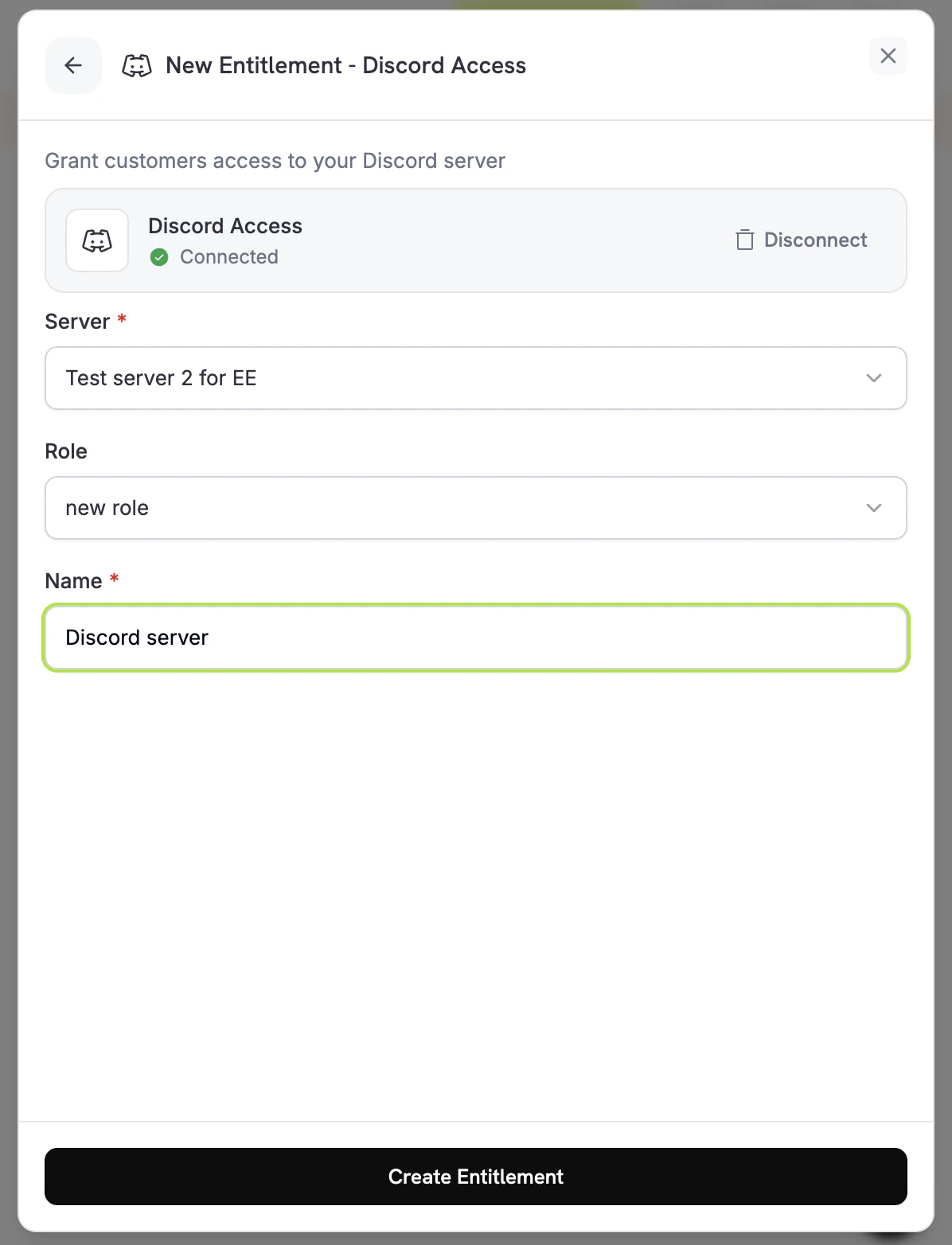 保存权限。现在可以附加到任何产品上。
## 客户流程
1. 客户完成结账。
2. Dodo Payments 创建一个状态为 `pending` 的授予,并附带一个指向 Discord 的 `oauth_url` 链接。
3. 客户收到一封带有“加入 Discord”按钮(OAuth 链接)的邮件。该链接也在其客户门户中可见。
4. 客户授权后,机器人会将他们加入服务器并分配配置的角色。授予状态移动到 `delivered`。
5. 如果订阅被取消、暂停或到期,或者商家手动撤销,机器人会移除角色,授予状态移动到 `revoked`。
确保 Dodo Payments 机器人的角色位置在您授予的角色之上。Discord 不允许机器人分配比自己排名更高的角色。
## 必要配置
| 字段 | 必需 | 描述 |
| ---------- | -- | --------------------------- |
| `guild_id` | 是 | Discord 服务器 ID。仪表板选择器会为您填写。 |
| `role_id` | 否 | 要在交付时分配的角色。忽略以仅提供服务器成员资格访问。 |
## 通过 API 创建
```typescript TypeScript theme={null} theme={null}
import DodoPayments from 'dodopayments';
const client = new DodoPayments({
bearerToken: process.env['DODO_PAYMENTS_API_KEY'],
environment: 'test_mode',
});
const entitlement = await client.entitlements.create({
name: 'Patrons Discord Role',
integration_type: 'discord',
integration_config: {
guild_id: '123456789012345678',
role_id: '987654321098765432',
},
});
```
```python Python theme={null} theme={null}
client.entitlements.create(
name="Patrons Discord Role",
integration_type="discord",
integration_config={
"guild_id": "123456789012345678",
"role_id": "987654321098765432",
},
)
```
```go Go theme={null} theme={null}
client.Entitlements.New(ctx, dodopayments.EntitlementNewParams{
Name: dodopayments.F("Patrons Discord Role"),
IntegrationType: dodopayments.F(dodopayments.EntitlementIntegrationTypeDiscord),
IntegrationConfig: dodopayments.F[dodopayments.IntegrationConfigUnionParam](
dodopayments.IntegrationConfigDiscordConfigParam{
GuildID: dodopayments.F("123456789012345678"),
RoleID: dodopayments.F("987654321098765432"),
},
),
})
```
## Webhooks
订阅 [`entitlement_grant.*` webhook 事件](/developer-resources/webhooks/intents/entitlement-grant) 以跟踪 Discord 授权:
* 当 `entitlement_grant.created` 触发时,包含一个 `status: "pending"` 和一个 `oauth_url` 供客户授权。
* 一旦角色分配完成,触发 `entitlement_grant.delivered`。
* 当角色被移除时,触发 `entitlement_grant.revoked`。
## 故障排除
授予将处于 `pending`,直到客户完成 OAuth 流程。检查权限的授予列表并确认他们是否点击了 OAuth 链接。必要时重新发送交付邮件。
确保 Dodo Payments 机器人保留在服务器中,拥有 `Manage Roles` 权限,并且位于分配角色的上方。重新保存权限会重新运行验证。
Discord 会立即传播角色移除,但客户的本地 Discord 客户端可能会缓存。他们应该重新连接或刷新;服务器端状态是正确的。
保存权限。现在可以附加到任何产品上。
## 客户流程
1. 客户完成结账。
2. Dodo Payments 创建一个状态为 `pending` 的授予,并附带一个指向 Discord 的 `oauth_url` 链接。
3. 客户收到一封带有“加入 Discord”按钮(OAuth 链接)的邮件。该链接也在其客户门户中可见。
4. 客户授权后,机器人会将他们加入服务器并分配配置的角色。授予状态移动到 `delivered`。
5. 如果订阅被取消、暂停或到期,或者商家手动撤销,机器人会移除角色,授予状态移动到 `revoked`。
确保 Dodo Payments 机器人的角色位置在您授予的角色之上。Discord 不允许机器人分配比自己排名更高的角色。
## 必要配置
| 字段 | 必需 | 描述 |
| ---------- | -- | --------------------------- |
| `guild_id` | 是 | Discord 服务器 ID。仪表板选择器会为您填写。 |
| `role_id` | 否 | 要在交付时分配的角色。忽略以仅提供服务器成员资格访问。 |
## 通过 API 创建
```typescript TypeScript theme={null} theme={null}
import DodoPayments from 'dodopayments';
const client = new DodoPayments({
bearerToken: process.env['DODO_PAYMENTS_API_KEY'],
environment: 'test_mode',
});
const entitlement = await client.entitlements.create({
name: 'Patrons Discord Role',
integration_type: 'discord',
integration_config: {
guild_id: '123456789012345678',
role_id: '987654321098765432',
},
});
```
```python Python theme={null} theme={null}
client.entitlements.create(
name="Patrons Discord Role",
integration_type="discord",
integration_config={
"guild_id": "123456789012345678",
"role_id": "987654321098765432",
},
)
```
```go Go theme={null} theme={null}
client.Entitlements.New(ctx, dodopayments.EntitlementNewParams{
Name: dodopayments.F("Patrons Discord Role"),
IntegrationType: dodopayments.F(dodopayments.EntitlementIntegrationTypeDiscord),
IntegrationConfig: dodopayments.F[dodopayments.IntegrationConfigUnionParam](
dodopayments.IntegrationConfigDiscordConfigParam{
GuildID: dodopayments.F("123456789012345678"),
RoleID: dodopayments.F("987654321098765432"),
},
),
})
```
## Webhooks
订阅 [`entitlement_grant.*` webhook 事件](/developer-resources/webhooks/intents/entitlement-grant) 以跟踪 Discord 授权:
* 当 `entitlement_grant.created` 触发时,包含一个 `status: "pending"` 和一个 `oauth_url` 供客户授权。
* 一旦角色分配完成,触发 `entitlement_grant.delivered`。
* 当角色被移除时,触发 `entitlement_grant.revoked`。
## 故障排除
授予将处于 `pending`,直到客户完成 OAuth 流程。检查权限的授予列表并确认他们是否点击了 OAuth 链接。必要时重新发送交付邮件。
确保 Dodo Payments 机器人保留在服务器中,拥有 `Manage Roles` 权限,并且位于分配角色的上方。重新保存权限会重新运行验证。
Discord 会立即传播角色移除,但客户的本地 Discord 客户端可能会缓存。他们应该重新连接或刷新;服务器端状态是正确的。