> ## Documentation Index
> Fetch the complete documentation index at: https://docs.dodopayments.com/llms.txt
> Use this file to discover all available pages before exploring further.
# 基于使用的计费
> 根据客户实际使用的情况进行收费,提供灵活的计量和自动计费。
基于使用的计费让您可以根据客户实际使用的情况进行收费——API 调用、存储、AI 令牌或您定义的任何指标。客户为消费付费,而不是固定费用。
**适用于**:API、AI 服务、基础设施平台以及任何价值随使用规模扩大而提升的产品。
## 工作原理
当发生可计费操作时,您的应用会发送事件。
```javascript theme={null}
{
"event_id": "evt_123",
"customer_id": "cus_abc",
"event_name": "api.call",
"metadata": { "endpoint": "/v1/users" }
}
```
计量器使用计数、求和、最大值或最近一次聚合将事件汇总为可计费数量。
设置每单位定价和免费额度。客户将自动每个计费周期计费。
## 核心概念
### 事件
事件代表您应用中的使用行为。每个事件包括:
* **事件名称**:使用类型(例如 `api.call`)
* **客户 ID**:谁使用了它
* **元数据**:用于聚合的附加属性
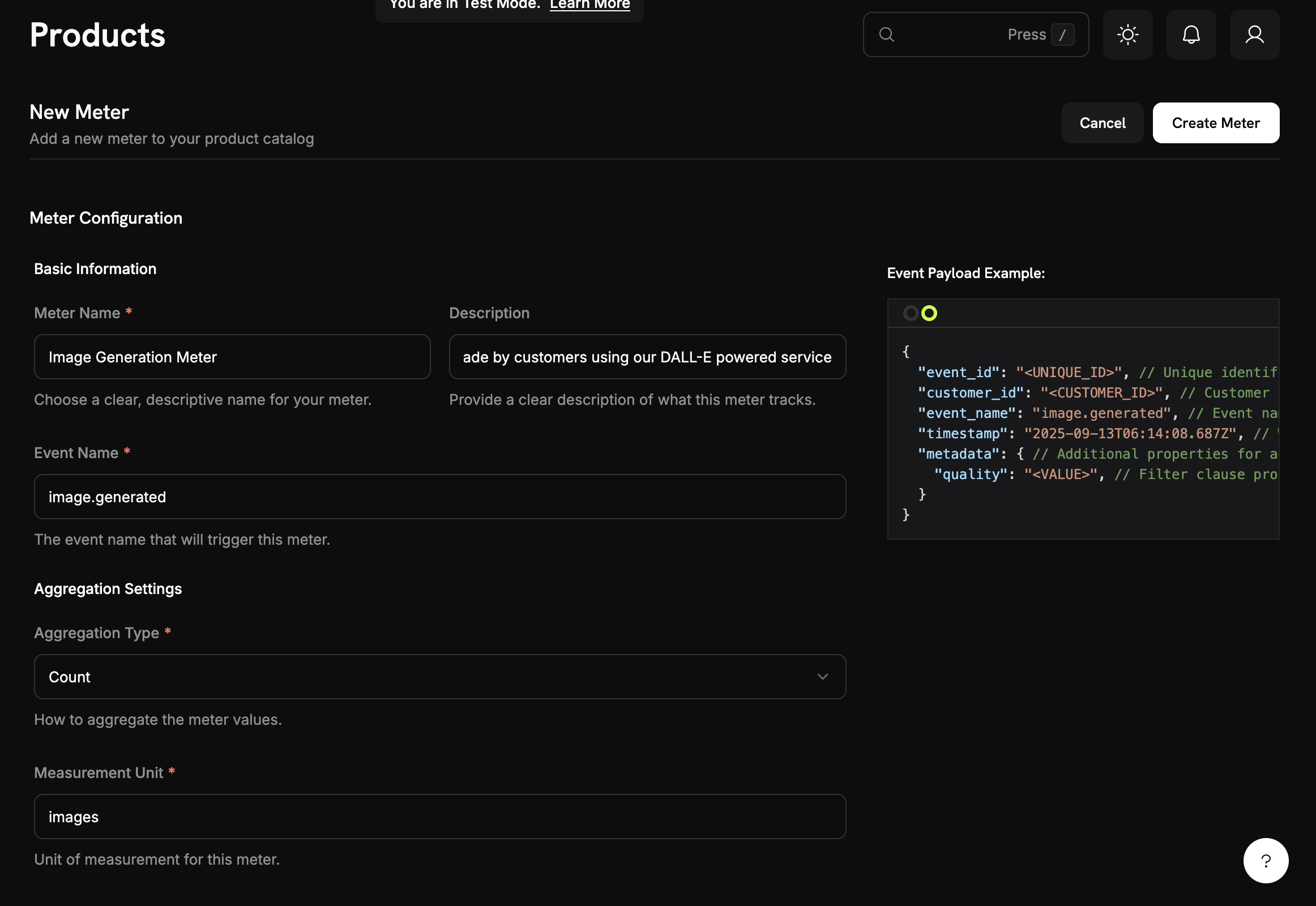
### 计量器
计量器将事件汇总为可计费数量:
* **计数**:总事件(API 调用)
* **总和**:添加值(总字节)
* **最大值**:最高值(峰值用户)
* **最后**:最近值
 ### 具有使用定价的产品
设置每单位的定价和可选的免费阈值:
### 具有使用定价的产品
设置每单位的定价和可选的免费阈值:
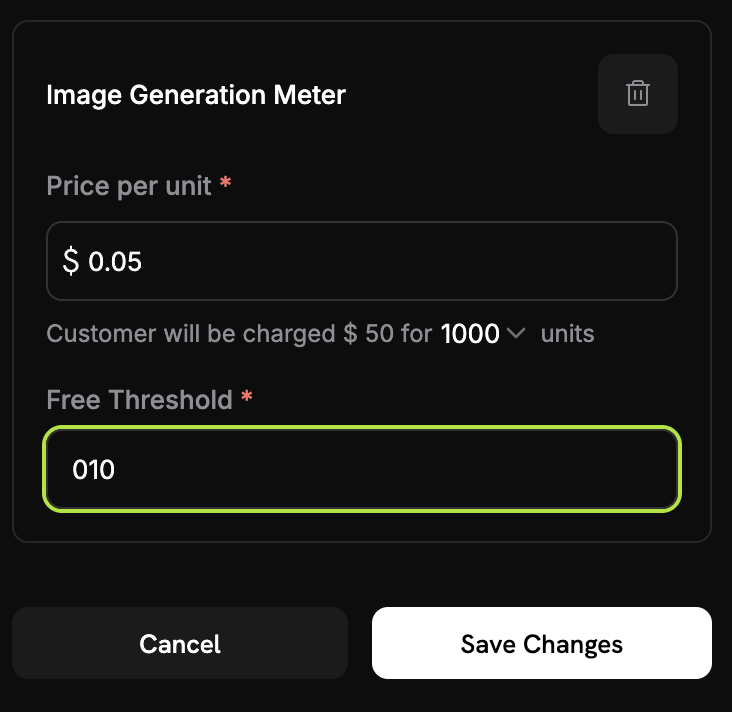 **示例**:2,500 次调用 - 1,000 次免费 = 1,500 × $0.02 = $30.00
### 基于信用的扣减
您可以配置计量器从客户的[信用余额](/features/credit-based-billing)中扣除,而不是按单位收费。信用会在每个账单周期刷新,并在任何超额费用之前应用。
## 快速入门
在控制面板中:**Meters** → **Create Meter**
1. 设置事件名称(例如 `api.call`)
2. 选择聚合方式(Count、Sum、Max、Last)
3. 添加可选筛选条件
将计量器与具有定价的产品关联:
**示例**:2,500 次调用 - 1,000 次免费 = 1,500 × $0.02 = $30.00
### 基于信用的扣减
您可以配置计量器从客户的[信用余额](/features/credit-based-billing)中扣除,而不是按单位收费。信用会在每个账单周期刷新,并在任何超额费用之前应用。
## 快速入门
在控制面板中:**Meters** → **Create Meter**
1. 设置事件名称(例如 `api.call`)
2. 选择聚合方式(Count、Sum、Max、Last)
3. 添加可选筛选条件
将计量器与具有定价的产品关联:
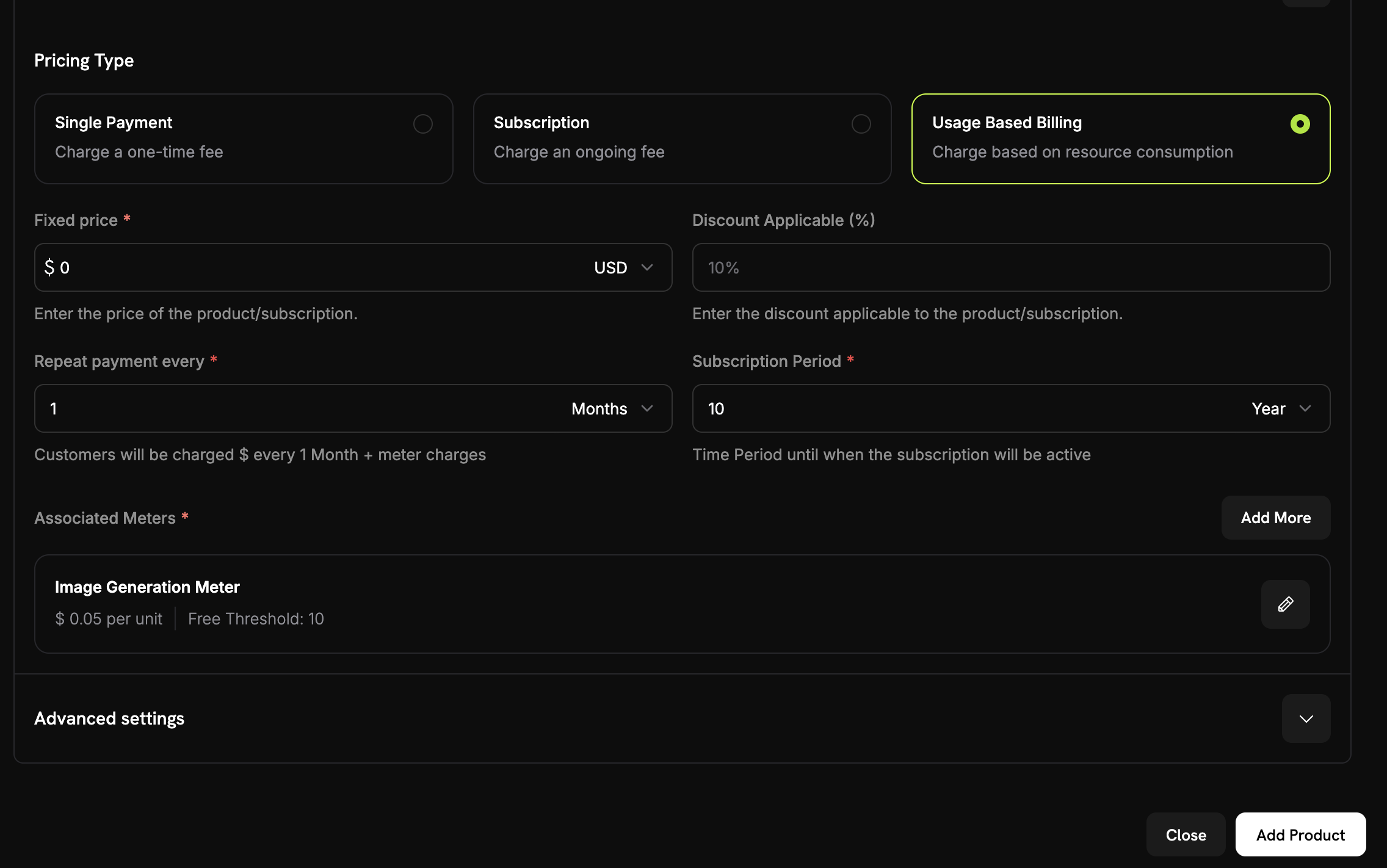 1. 选择 **Usage-Based Billing**
2. 选择您的计量器
3. 设置每单位价格和免费额度
```javascript theme={null}
await fetch('https://test.dodopayments.com/events/ingest', {
method: 'POST',
headers: {
'Authorization': `Bearer ${process.env.DODO_PAYMENTS_API_KEY}`,
'Content-Type': 'application/json'
},
body: JSON.stringify({
events: [{
event_id: "unique_event_id",
customer_id: "cus_abc123",
event_name: "api.call",
metadata: { endpoint: "/v1/users" }
}]
})
});
```
1. 选择 **Usage-Based Billing**
2. 选择您的计量器
3. 设置每单位价格和免费额度
```javascript theme={null}
await fetch('https://test.dodopayments.com/events/ingest', {
method: 'POST',
headers: {
'Authorization': `Bearer ${process.env.DODO_PAYMENTS_API_KEY}`,
'Content-Type': 'application/json'
},
body: JSON.stringify({
events: [{
event_id: "unique_event_id",
customer_id: "cus_abc123",
event_name: "api.call",
metadata: { endpoint: "/v1/users" }
}]
})
});
```
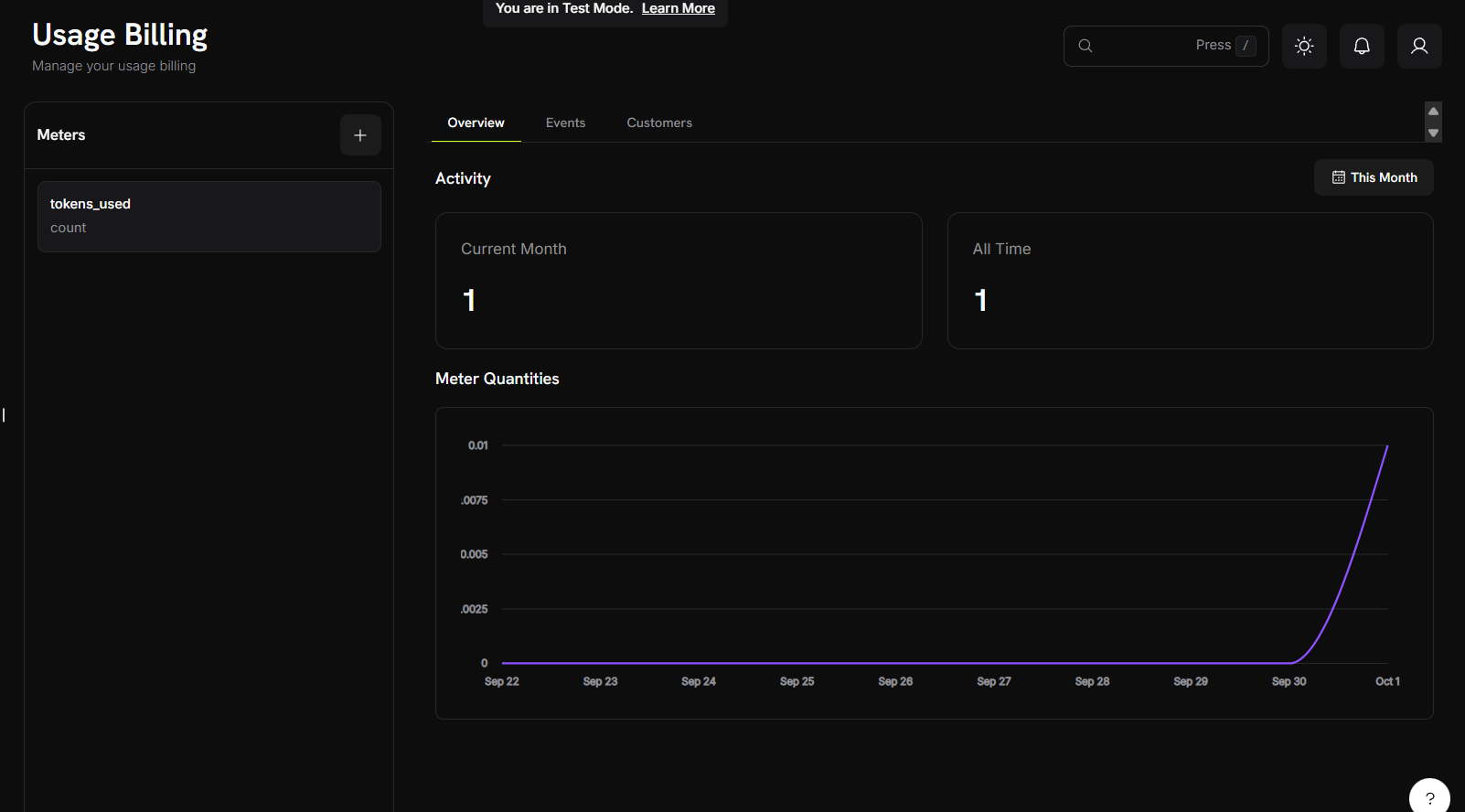 查看您的计量器仪表盘以了解事件和使用量聚合情况。客户将自动在每个周期计费。
## 用例
跟踪 API 调用、计算小时数、带宽、存储。示例:前 10,000 次免费,之后每次 \$0.001。
跟踪令牌、生成次数、处理时间。示例:每张标准图像 $0.04,高画质 $0.08。
按处理数据量、执行查询、分析记录收费。示例:前 10 GB 免费,之后每 GB \$5。
统计消息、分钟数、传输数据。示例:每条短信 \$0.01。
## 下一步
了解如何构建并从您的应用发送使用事件。
掌握计量器配置、聚合类型与事件筛选。
从头开始构建具有使用量计费的完整 AI 图像生成器。
实施使用量计费的综合指南。
查看您的计量器仪表盘以了解事件和使用量聚合情况。客户将自动在每个周期计费。
## 用例
跟踪 API 调用、计算小时数、带宽、存储。示例:前 10,000 次免费,之后每次 \$0.001。
跟踪令牌、生成次数、处理时间。示例:每张标准图像 $0.04,高画质 $0.08。
按处理数据量、执行查询、分析记录收费。示例:前 10 GB 免费,之后每 GB \$5。
统计消息、分钟数、传输数据。示例:每条短信 \$0.01。
## 下一步
了解如何构建并从您的应用发送使用事件。
掌握计量器配置、聚合类型与事件筛选。
从头开始构建具有使用量计费的完整 AI 图像生成器。
实施使用量计费的综合指南。