

What is Credit-Based Billing?
Credit-Based Billing gives you a flexible system to issue credit entitlements to customers as part of your products. Instead of charging per-use or limiting access through feature flags, you allocate a pool of credits that customers draw from as they use your service. Os créditos funcionam bem para:- AI and LLM platforms: Grant tokens or generation credits per plan tier
- API services: Allocate API call credits with overage pricing
- Infrastructure platforms: Issue compute hours or storage credits
- Communication services: Provide message or minute credits per subscription
- SaaS with consumption tiers: Bundle included usage into credit pools
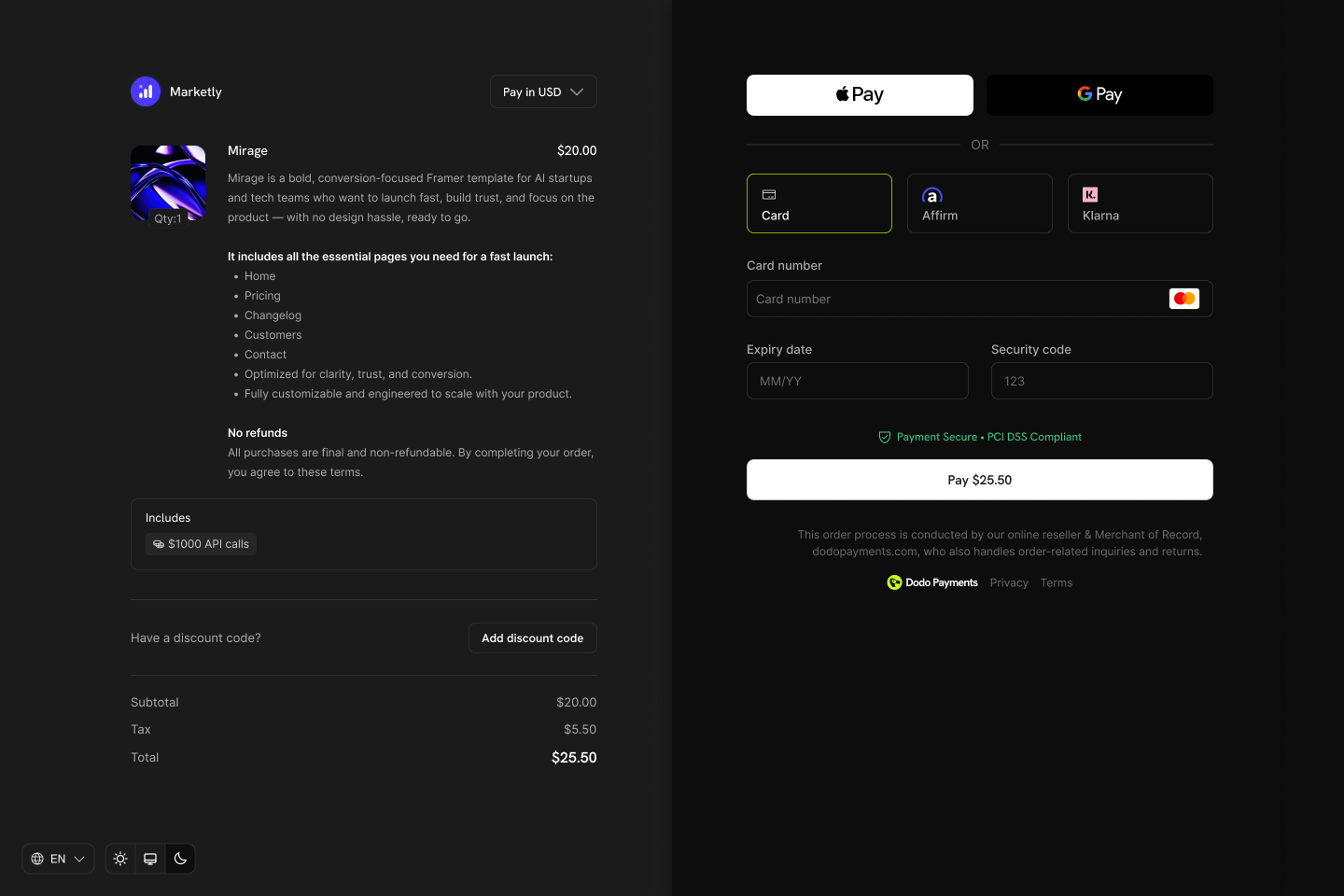
Credits appear as entitlements on your products and show in checkout, customer portal, and subscription details.
Core Concepts
Credit Types
When creating a credit, you choose between two types:- Custom Unit
- Fiat Credits
Credit Lifecycle
Credits follow a clear lifecycle from issuance through consumption:Credits Issued
Credits Consumed
Credits Expire or Roll Over
Overage Handling
Grant Sources
Credits can be granted from multiple sources:Creating Credits
Create credit entitlements in the Products → Credits section of your dashboard. Each credit defines the unit, precision, expiry rules, and lifecycle behavior.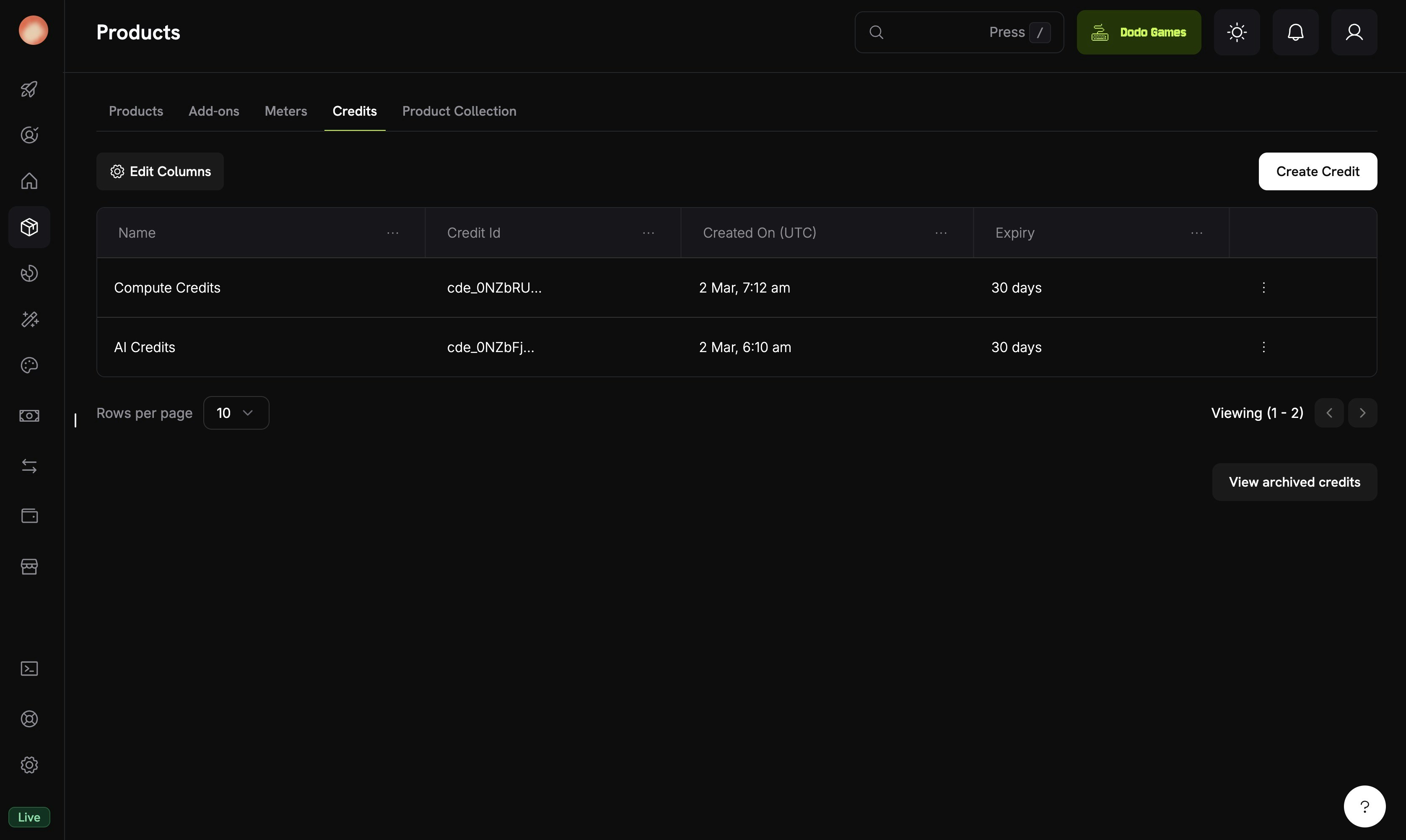
The Credits tab under Products shows all your credit entitlements.
Navigate to Credits
Configure Basic Information
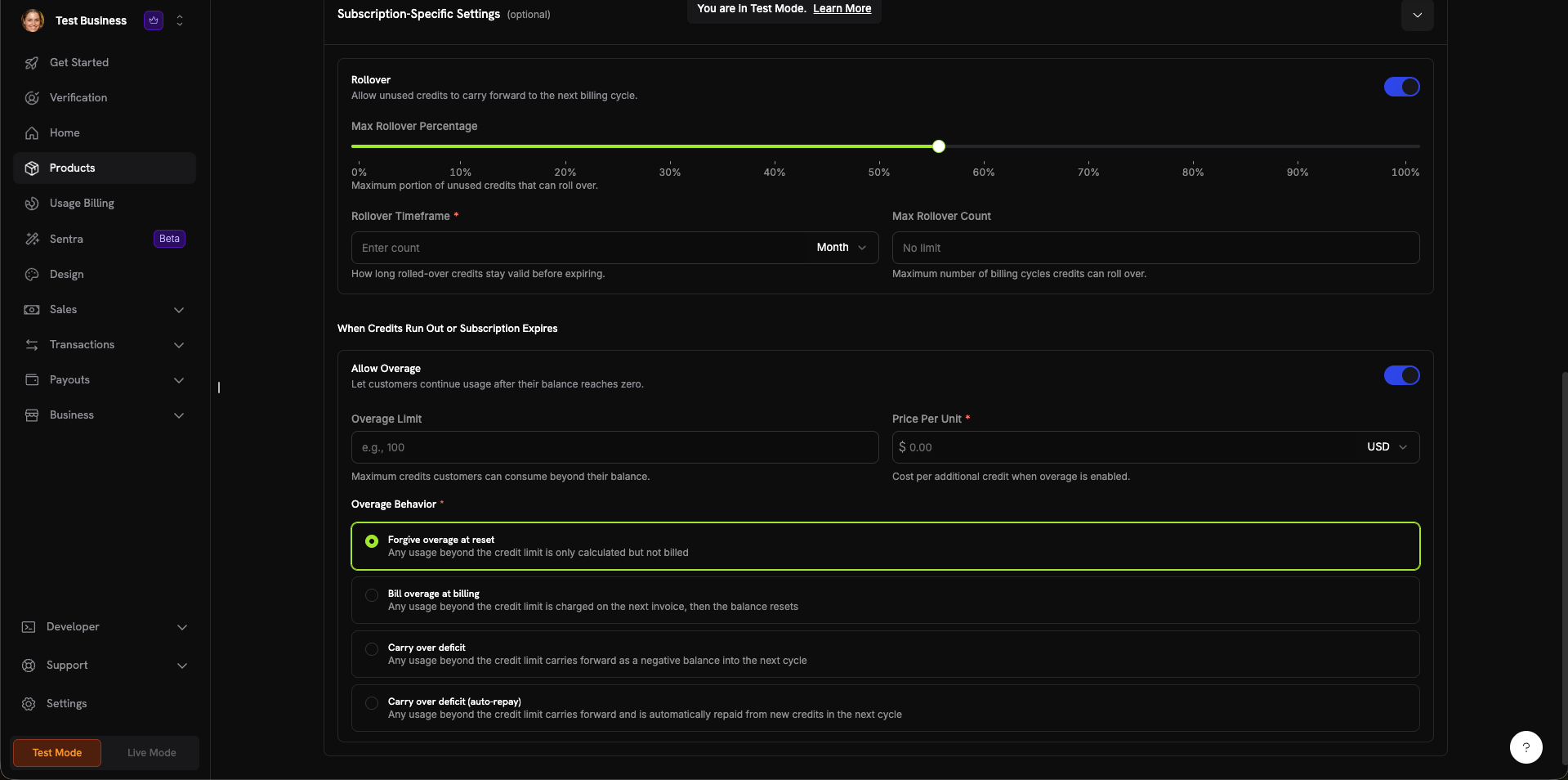
The credit creation form with all configuration sections.
Set General Settings
- Custom Unit: Defina sua própria métrica (tokens, chamadas de API, horas de computação). Requer um Unit Name (por exemplo, “Platform tokens”) e uma configuração de Precision.
- Fiat Credits: Os créditos representam um valor monetário real. Requer a seleção de uma Unit Currency (USD, EUR, GBP, INR etc.).
0 a 10:0: Números inteiros (melhor para itens contáveis, como chamadas de API)1: Uma casa decimal (0.0)2: Duas casas decimais (0.00) — padrão3: Três casas decimais (0.000)- Até
10: Para unidades de alta precisão (por exemplo, tokens fracionários ou micro-uso)
- 7 days, 30 days (default), 60 days, 90 days, Custom, or Never
Configure Subscription Settings (Optional)
- Max Rollover Percentage (0–100%): Limita quanto pode ser transferido
- Rollover Timeframe: Por quanto tempo os créditos transferidos permanecem válidos (por exemplo, 1 Month)
- Max Rollover Count: Número máximo de transferências consecutivas antes que os créditos sejam perdidos
- Overage Limit: Máximo de créditos que os clientes podem consumir além do saldo
- Price Per Unit: Custo por crédito adicional quando o overage está ativado (com seletor de moeda)
- Forgive overage at reset (padrão): O uso além do limite de crédito é registrado, mas não é cobrado. O saldo é redefinido a cada ciclo.
- Bill overage at billing: O uso além do limite de crédito é cobrado na próxima fatura; depois, o saldo é redefinido.
- Carry over deficit: O uso além do limite de crédito é transferido como saldo negativo para o próximo ciclo.
- Carry over deficit (auto-repay): O déficit é transferido e automaticamente compensado com novos créditos no próximo ciclo.
Create Credit
Attaching Credits to Products
Créditos são anexados aos produtos como direitos no fluxo de criação ou edição do produto. Você pode anexar até 5 créditos por produto. Créditos funcionam com todos os três tipos de precificação.Subscription Products
For subscriptions, credits are issued per billing cycle and can be configured with proration, trial credits, and cycle-specific settings.Create or Edit a Subscription Product
Open Entitlements Section

The Entitlements section in the product form with Credits, License Key, and Digital Product Delivery options.
Select Credits to Attach
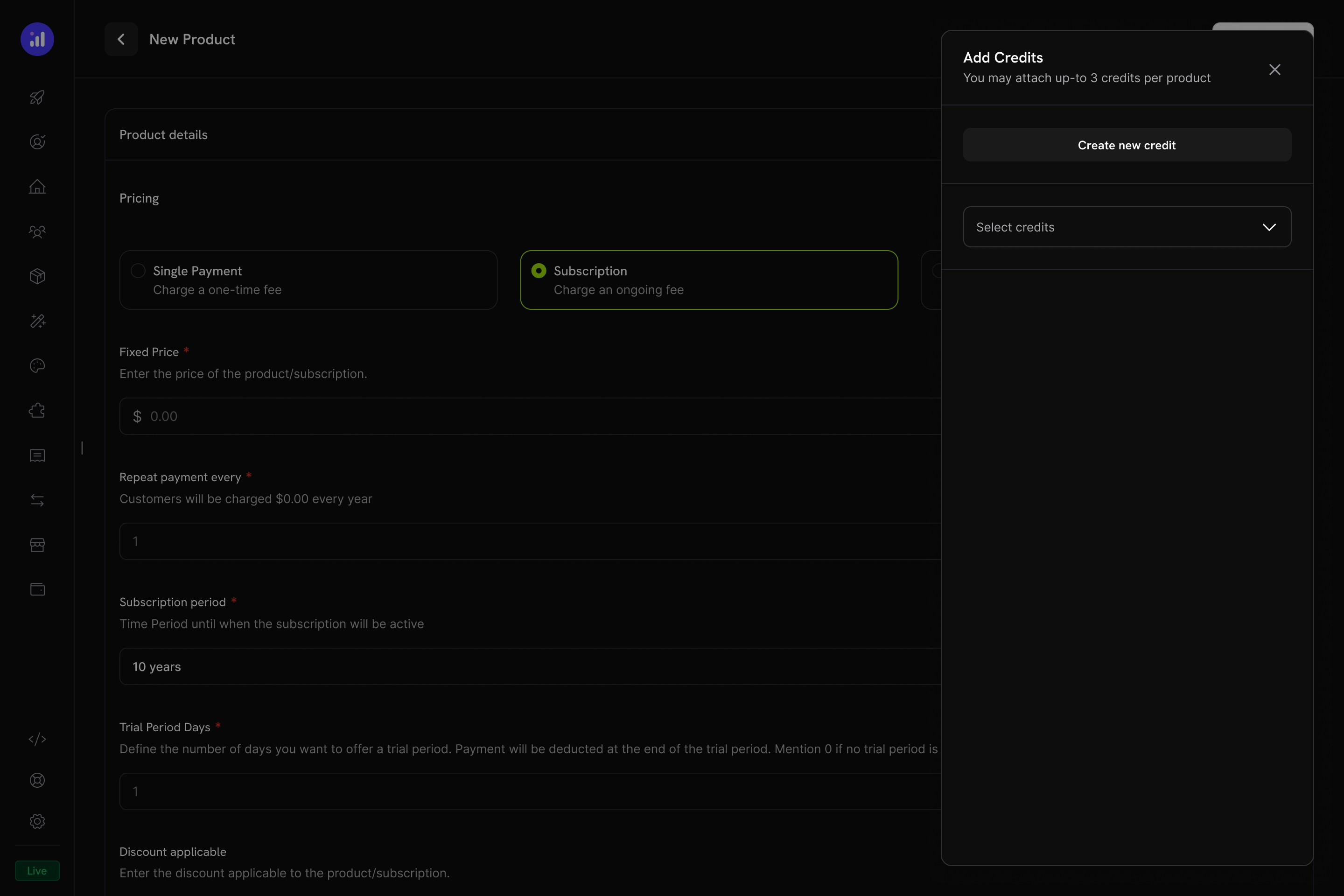
The Add Credits panel lets you select existing credits or create new ones.
Configure Credit Settings
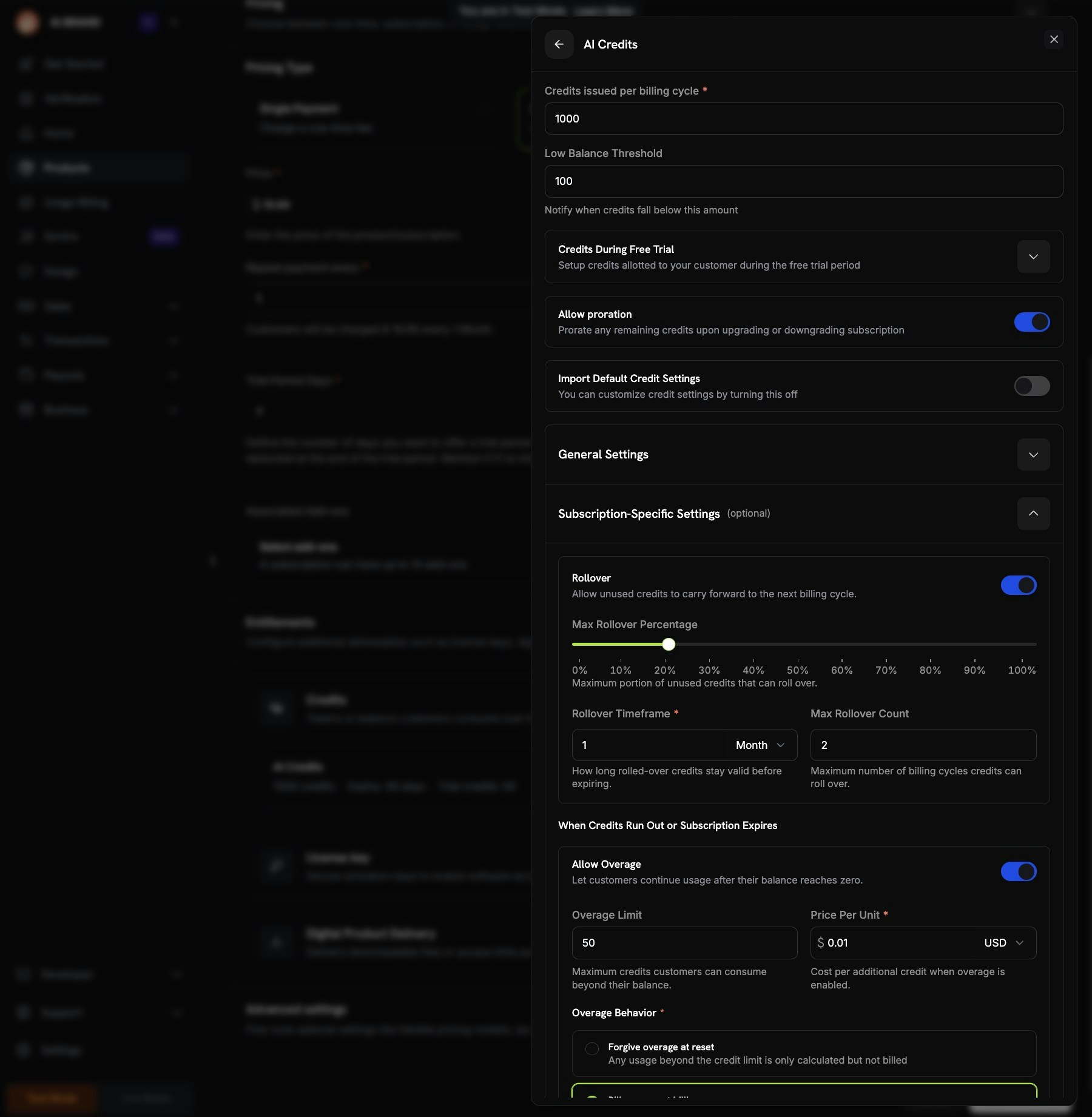
Credit configuration showing per-cycle amount, trial credits, proration, and custom settings.
Review and Add
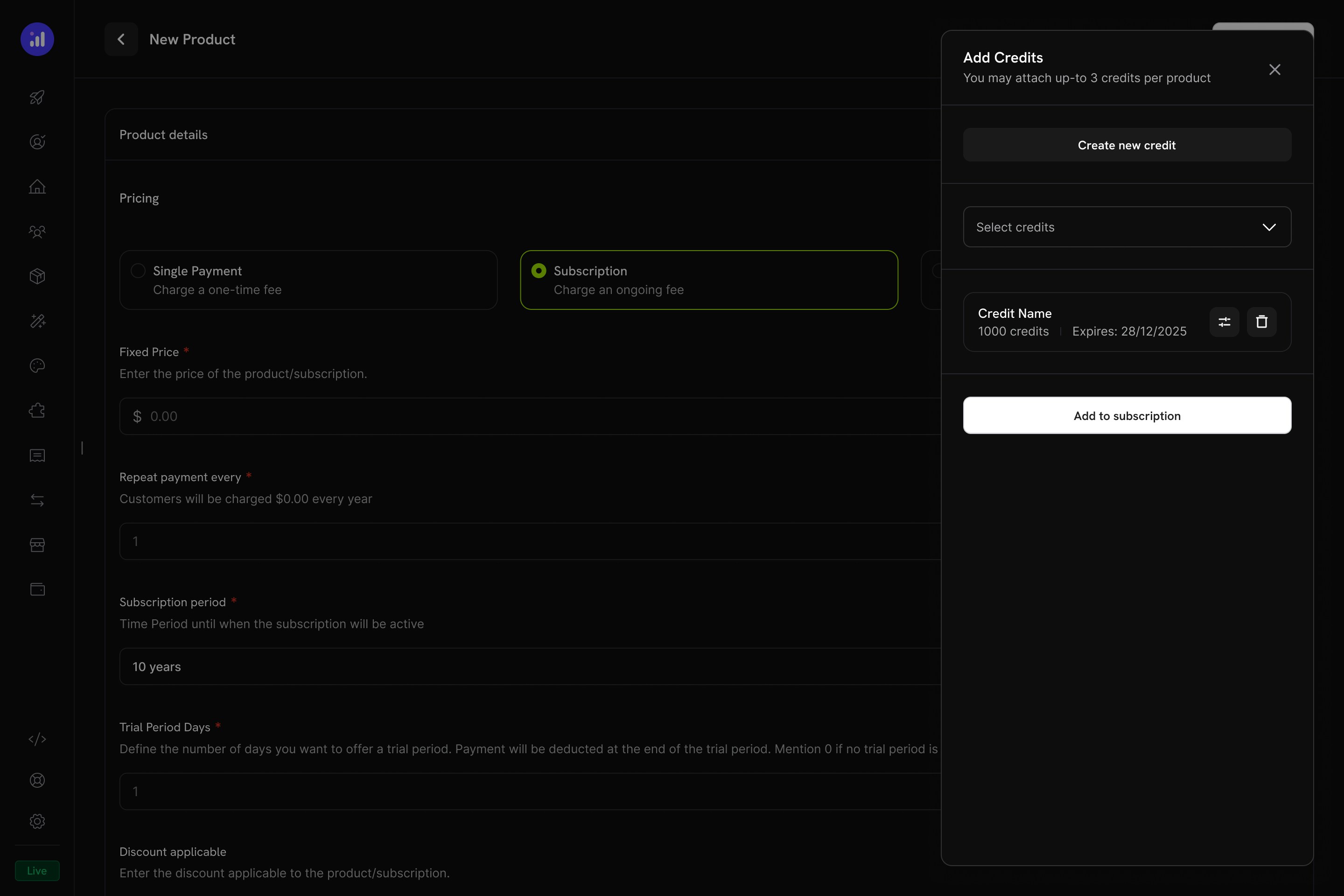
Review attached credits before adding them to the subscription.
One-Time Payment Products
For one-time payments, credits are issued once at the time of purchase.Create a One-Time Product
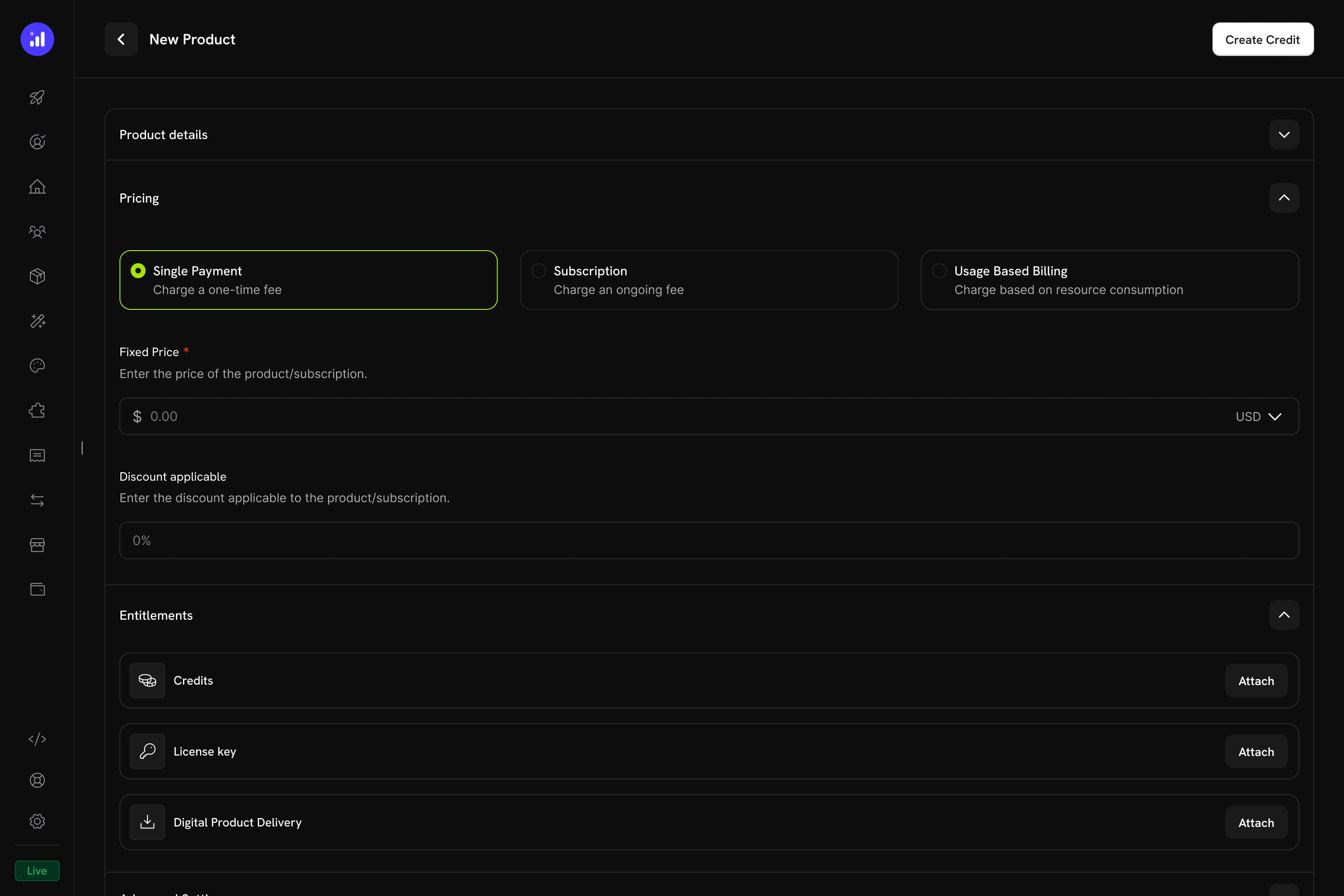
Single Payment pricing selected for a one-time credit product.
Attach Credits
Usage-Based Billing Products
For usage-based products, credits are linked to meters and automatically deducted based on real-time consumption events.Create a Usage-Based Product
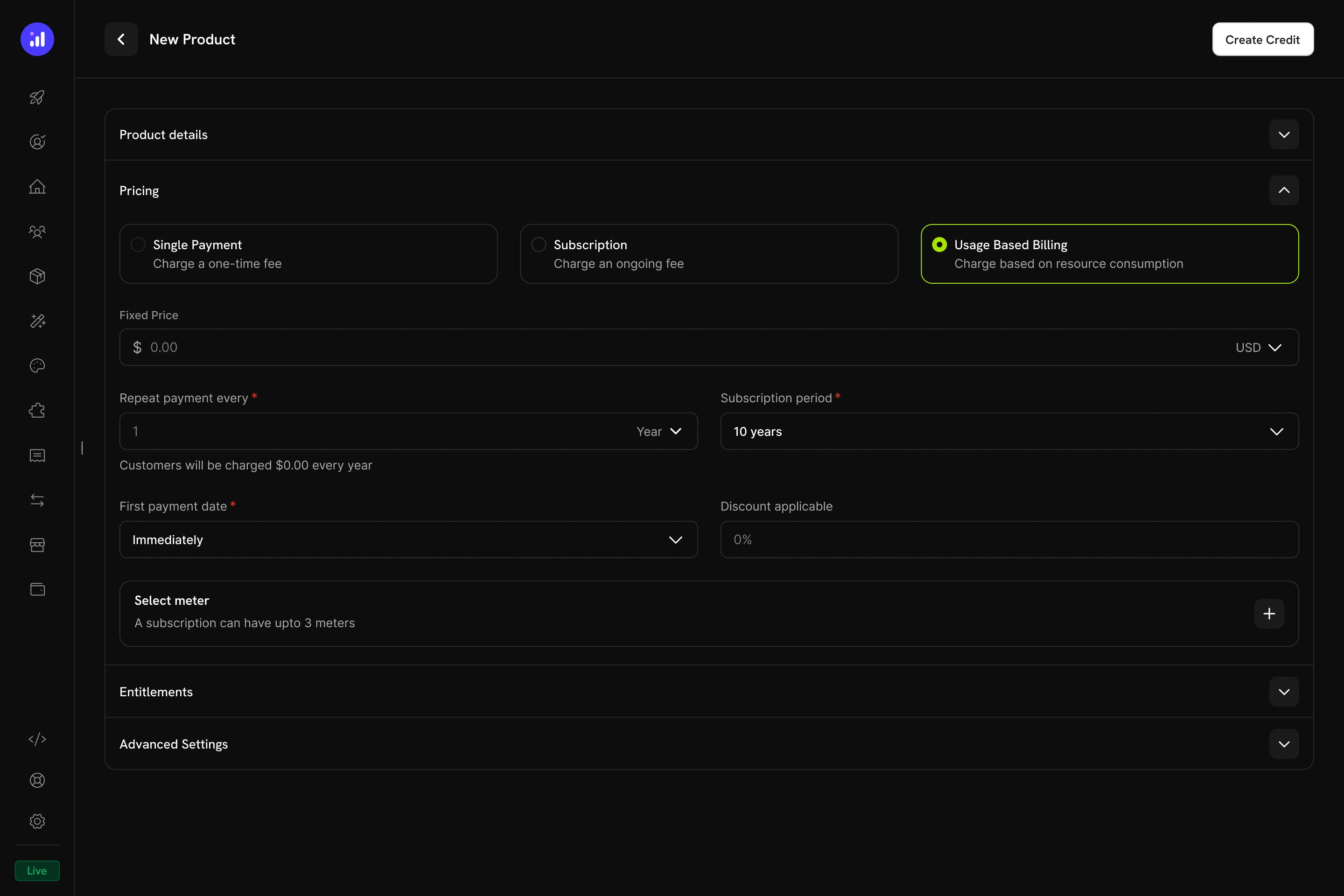
Usage Based Billing pricing type with meter configuration.
Add a Meter
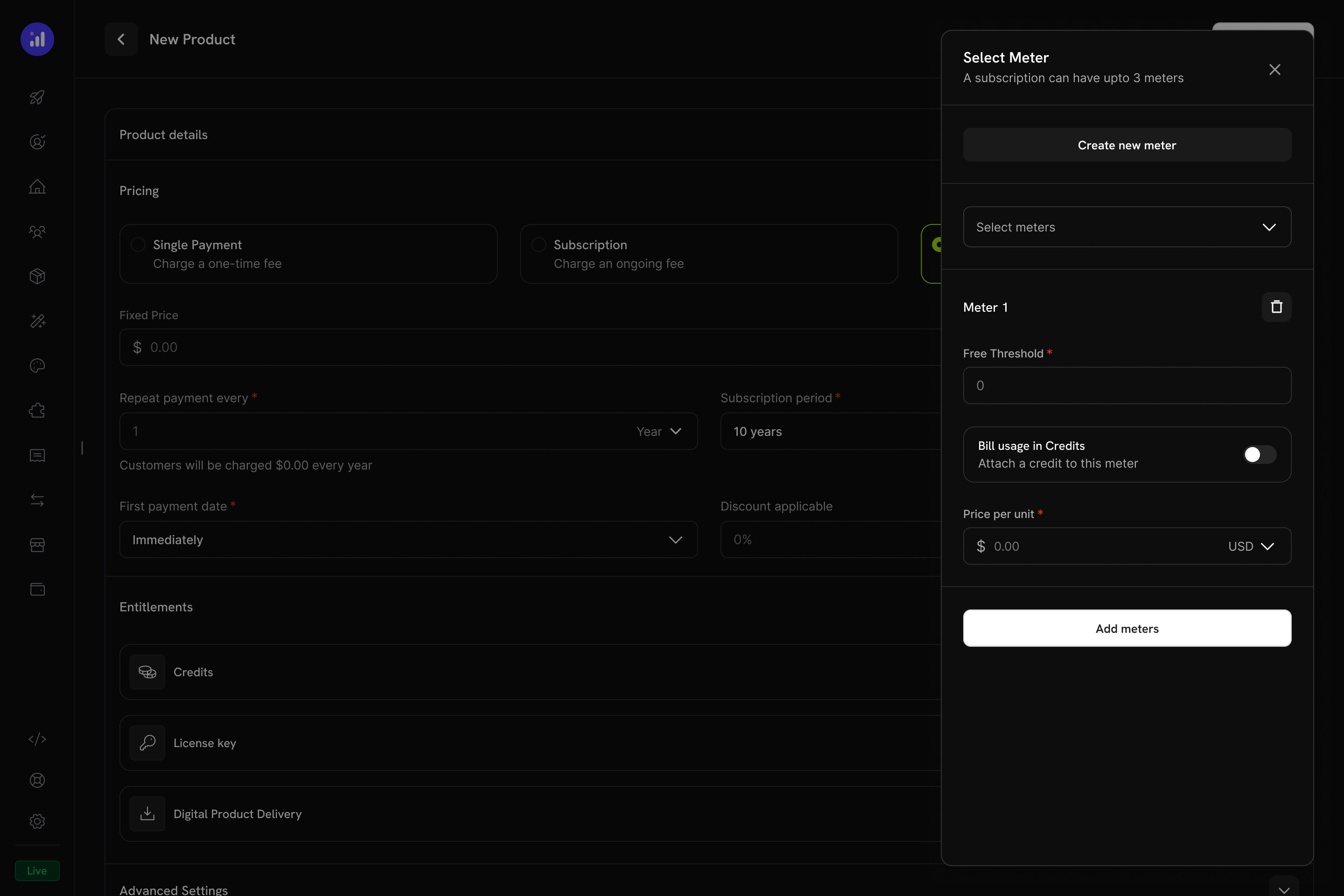
The Select Meter panel with meter configuration and credit toggle.
Enable Credit Billing on the Meter
1000, then 1,000 API calls consume 1 credit.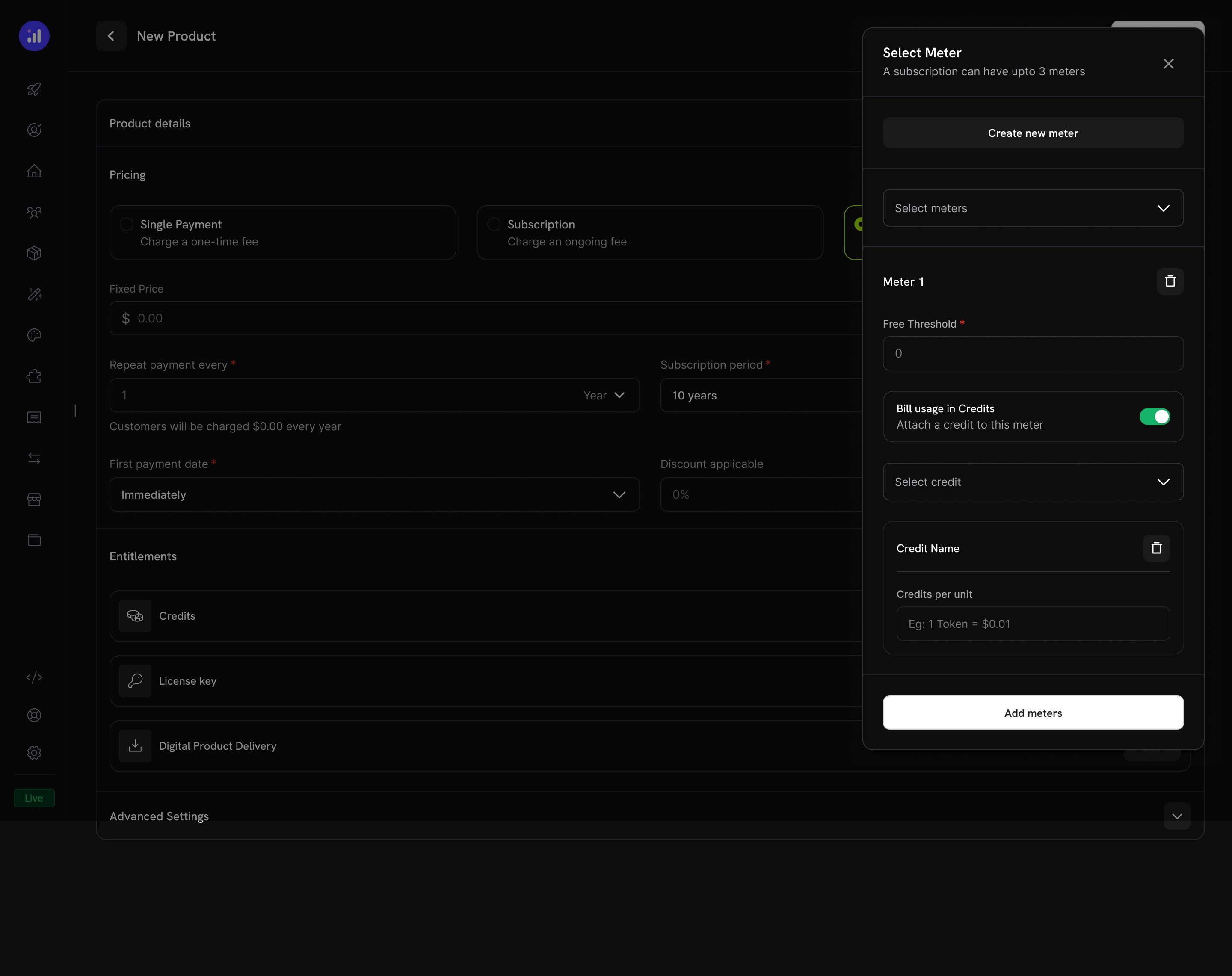
Credit attached to a meter with per-unit conversion rate.
Configure Credit Issuance
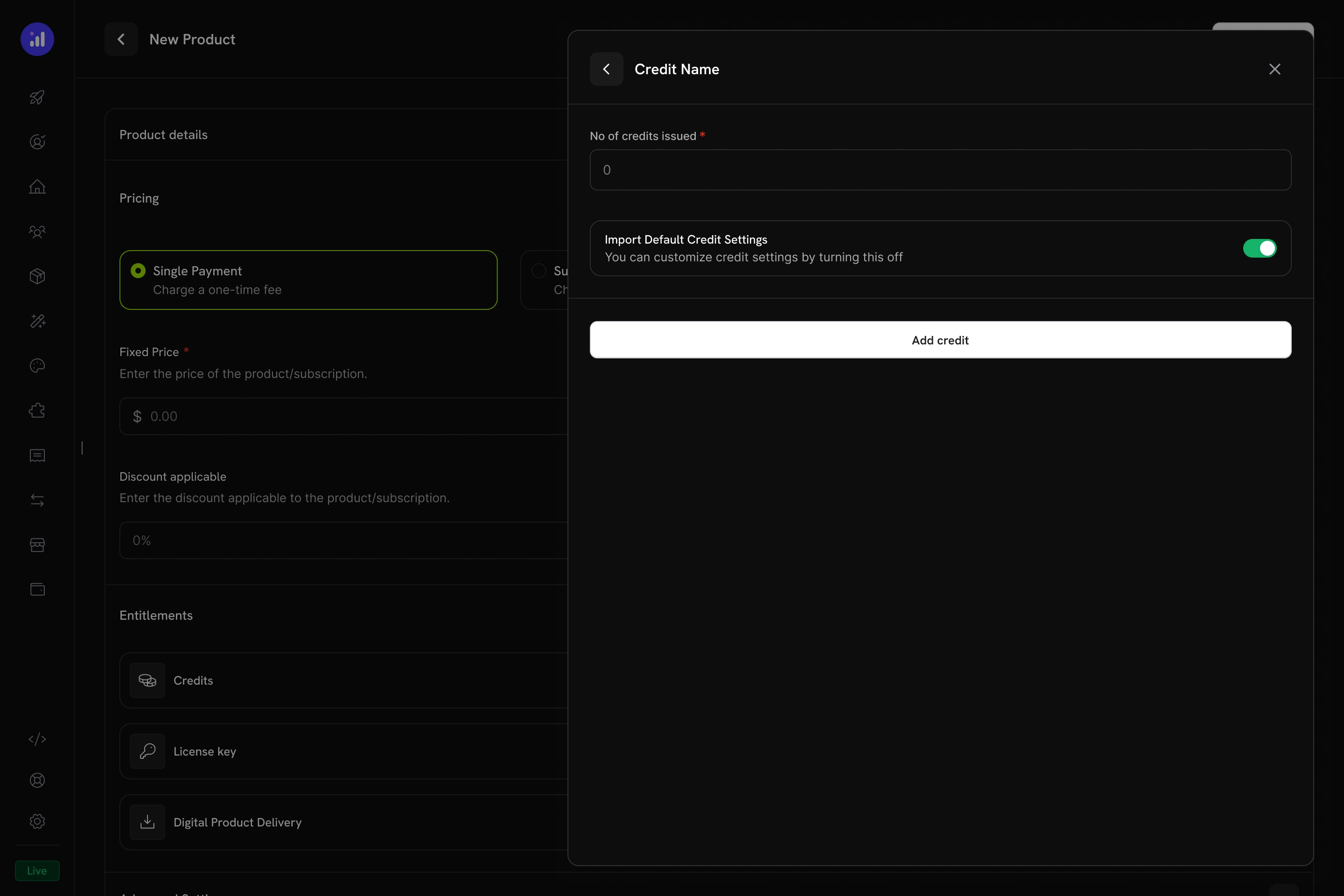
Configure how many credits to issue and whether to use default settings.
Verify Attachment
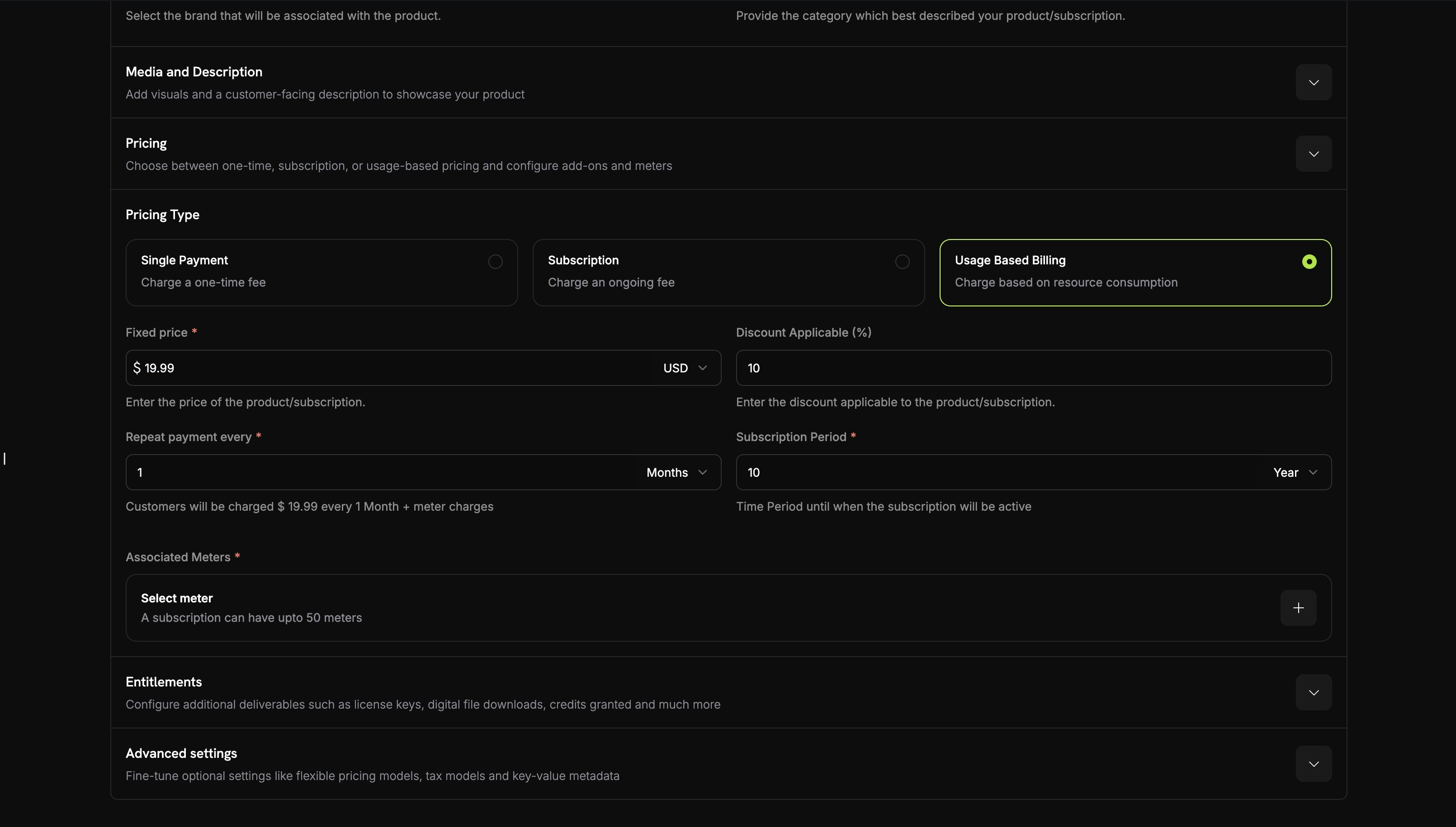
Meter with credit attached showing price, threshold, and credit name.
Credit Settings
Rollover
Rollover lets unused credits carry forward to the next billing cycle instead of expiring.Overage
Overage controls what happens when a customer’s credit balance reaches zero mid-cycle.Expiração
credit_expired. Se o rollover estiver ativado, a porcentagem de rollover será aplicada antes da expiração, e somente o restante expirará.Cobrança baseada em uso com créditos
Quando os créditos são vinculados a meters de uso, o sistema cria um poderoso modelo de cobrança baseado em consumo. Os clientes recebem uma alocação de créditos, e os eventos de uso deduzem automaticamente valores de seus saldos.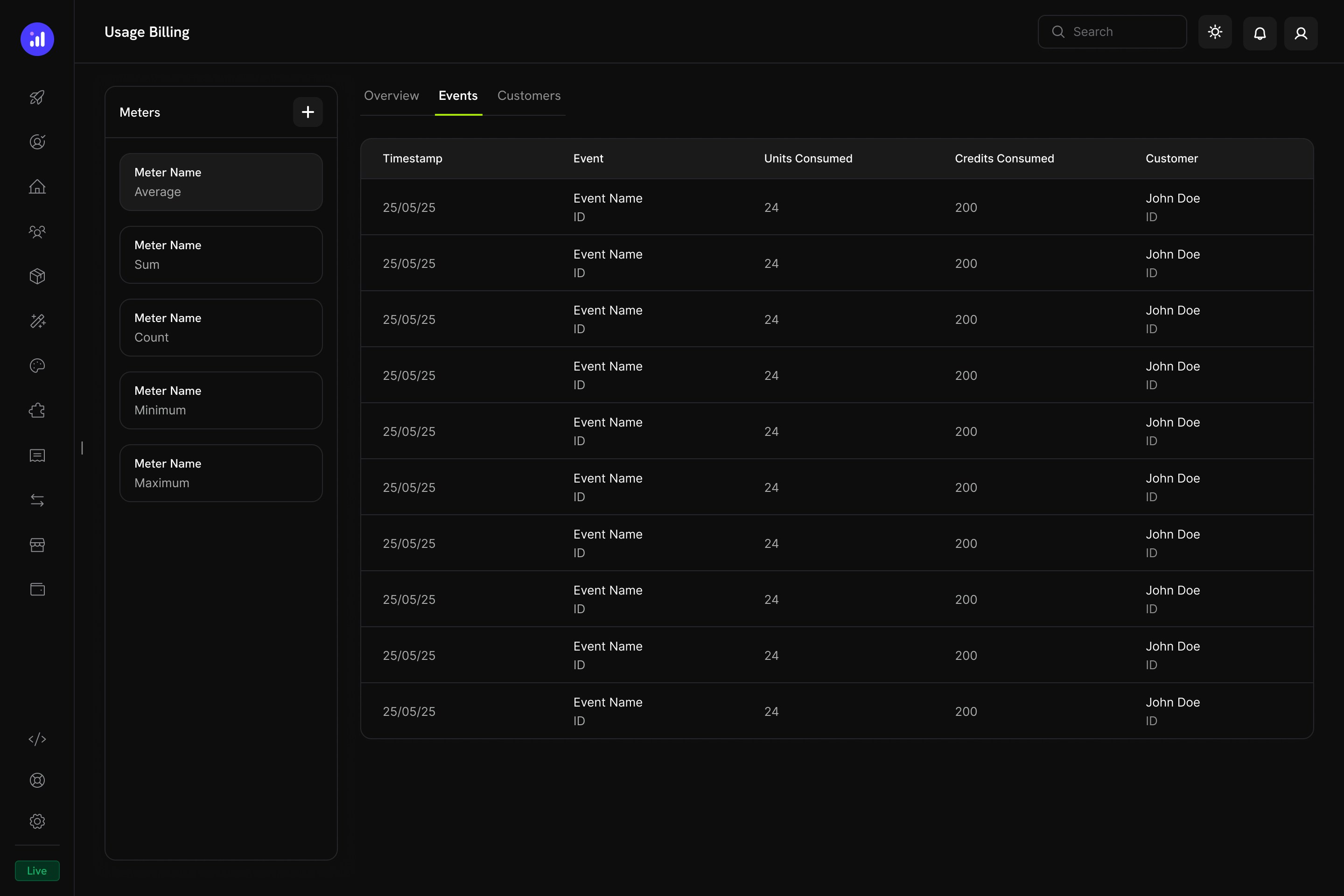
The Usage Billing dashboard shows meter events with units consumed, credits consumed, and customer details.
Como funciona a dedução de créditos baseada em meters
- Sua aplicação envia eventos de uso: Cada evento inclui um ID do cliente, nome do evento e metadata
- Os meters agregam eventos: Usando a agregação Count, Sum, Max ou Last
- Os créditos são deduzidos automaticamente: Um worker em segundo plano processa os eventos a cada minuto, converte unidades do meter em créditos usando a taxa configurada por você e deduz do saldo do cliente usando a ordenação FIFO (grants que expiram primeiro)
- O overage é rastreado: Se o saldo de crédito chegar a zero e o overage estiver ativado, o sistema rastreará o uso excedente para cobrança no fim do ciclo
Painel de Meters
O dashboard de Usage Billing inclui um painel de Meters que lista todos os meters definidos com seu tipo de agregação:Experiência do cliente
Checkout
Quando um cliente compra um produto com créditos associados, a página de checkout exibe os créditos incluídos como parte da oferta do produto.Checkout shows included credits with the product, making the value proposition clear.
Customer Portal
Os clientes podem visualizar e gerenciar seus saldos de crédito no Customer Portal, na seção Credits.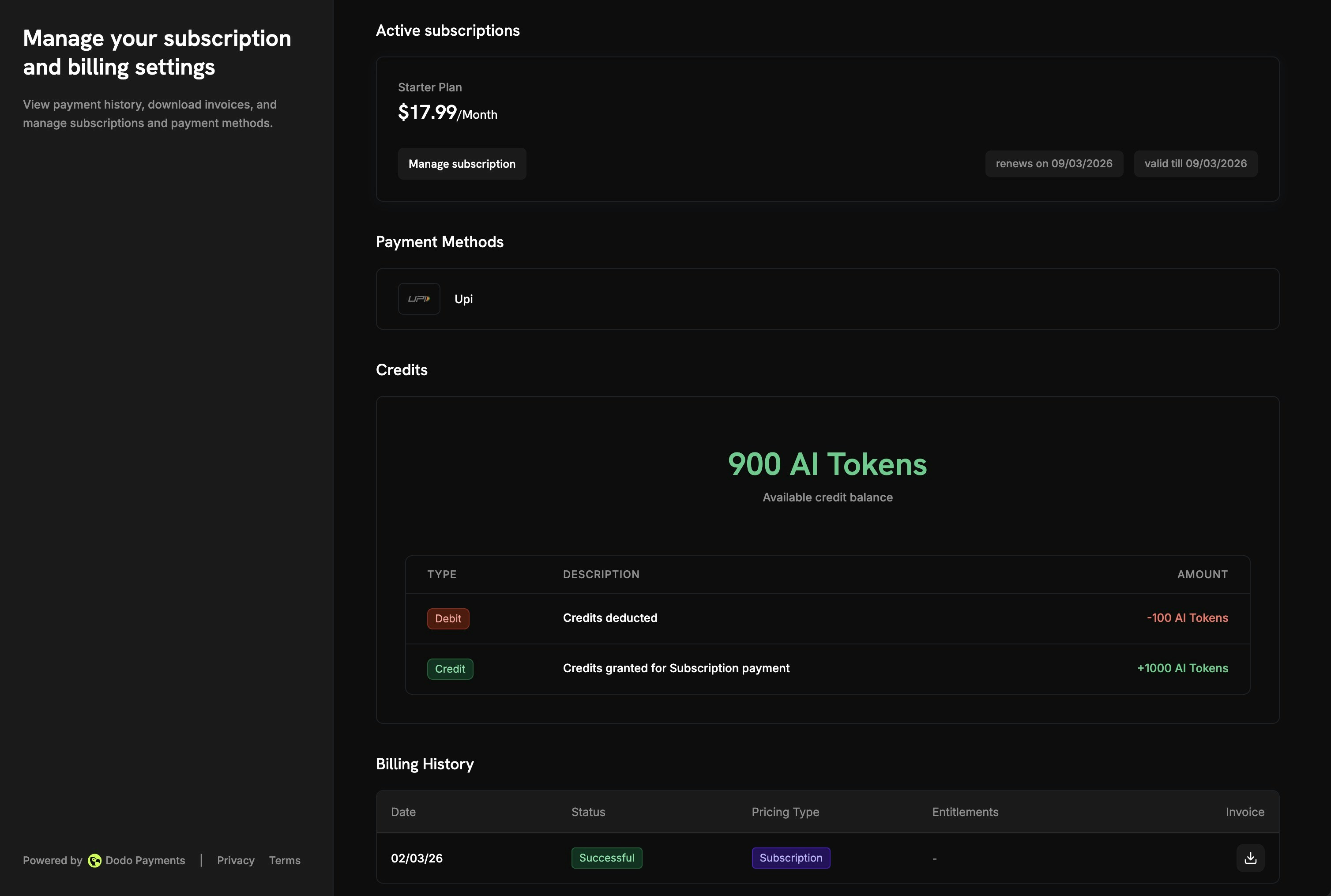
The Customer Portal shows available balance and full transaction history.
- Available Balance: Saldo de crédito atual exibido em destaque
- Credit Tabs: Alternância entre diferentes tipos de crédito (por exemplo, “OpenAI Credits” ou “Usage Tokens”)
- Recent Transactions: Histórico completo com data, ID da transação, tipo, valor e saldo acumulado
Detalhes da assinatura
A página de detalhes da assinatura mostra os entitlements de crédito junto com outras informações do plano.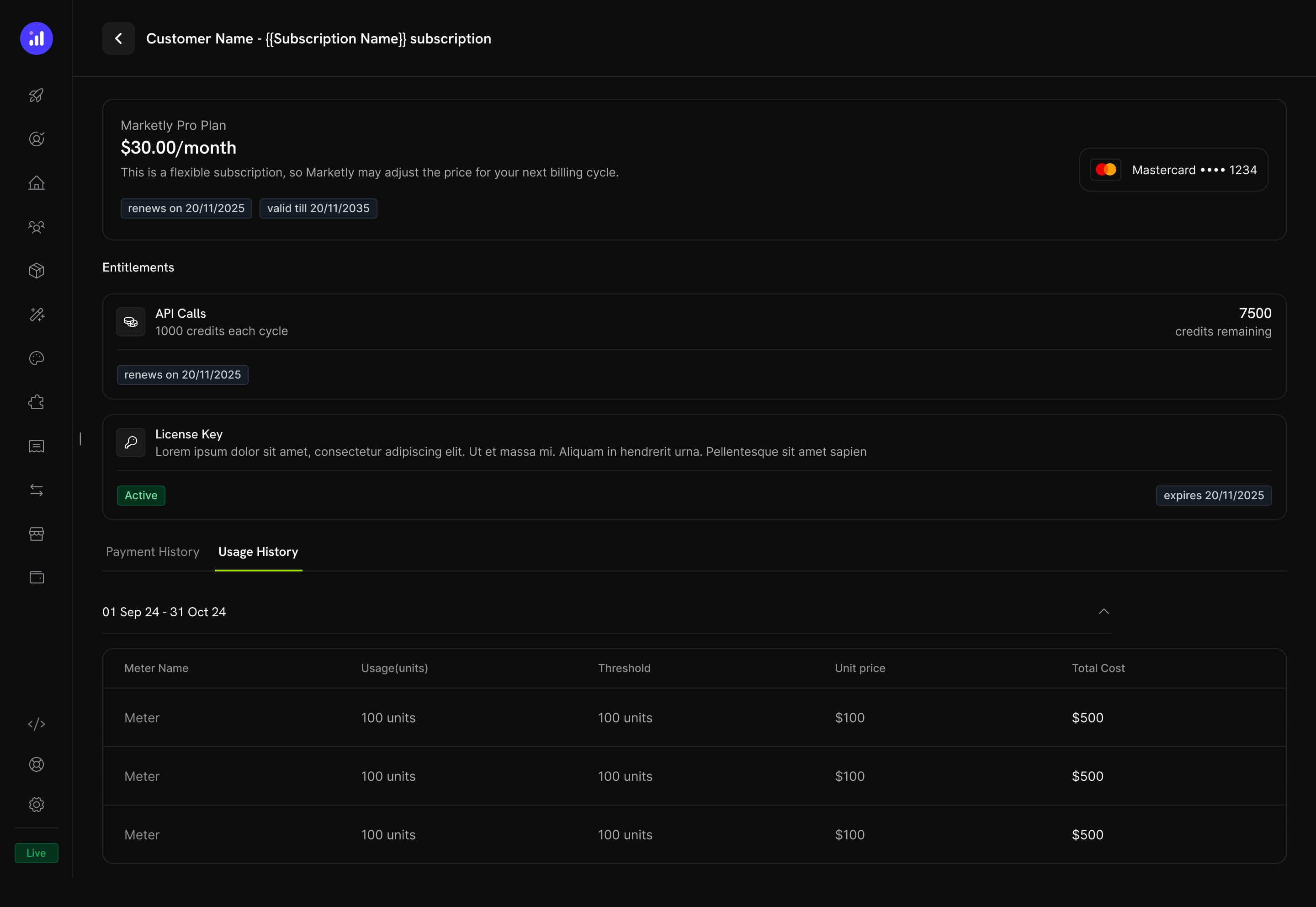
Subscription details show credit allocation, remaining balance, and renewal date.
- Credit allocation por ciclo de cobrança (por exemplo, “1000 credits each cycle”)
- Remaining balance (por exemplo, “7500 credits remaining”)
- Renewal date da próxima emissão de créditos
- Aba Usage History com detalhamento por meter, mostrando unidades consumidas, limites, preços unitários e custos totais
Detalhes da transação
As páginas de transação de pagamento incluem uma seção Entitlements que mostra todos os entitlements entregues com o pagamento, incluindo créditos.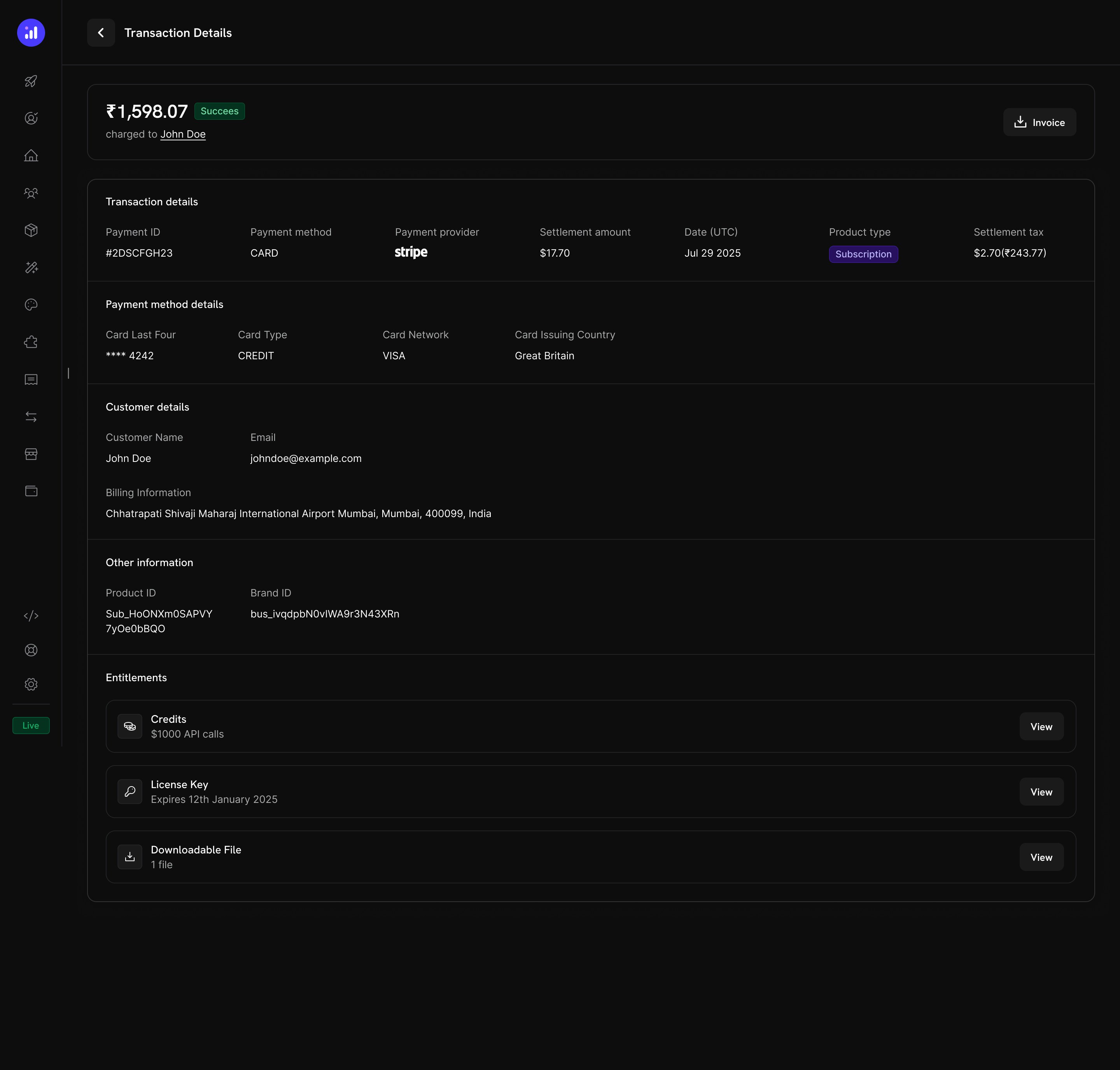
Transaction details show credits alongside other entitlements like license keys and digital downloads.
Gerenciamento de créditos
Visualizações do dashboard
Lista de entitlements de crédito
Visualize todos os seus entitlements de crédito em Products → Credits. A tabela mostra o nome do crédito e as configurações de expiração, além de oferecer ações rápidas para edição ou arquivamento.Credits listing with total count, creation button, and management actions.
Detalhes dos créditos do cliente
Visualize os saldos de crédito e o histórico de transações de um cliente específico em Customers → [Customer Name] → Credits.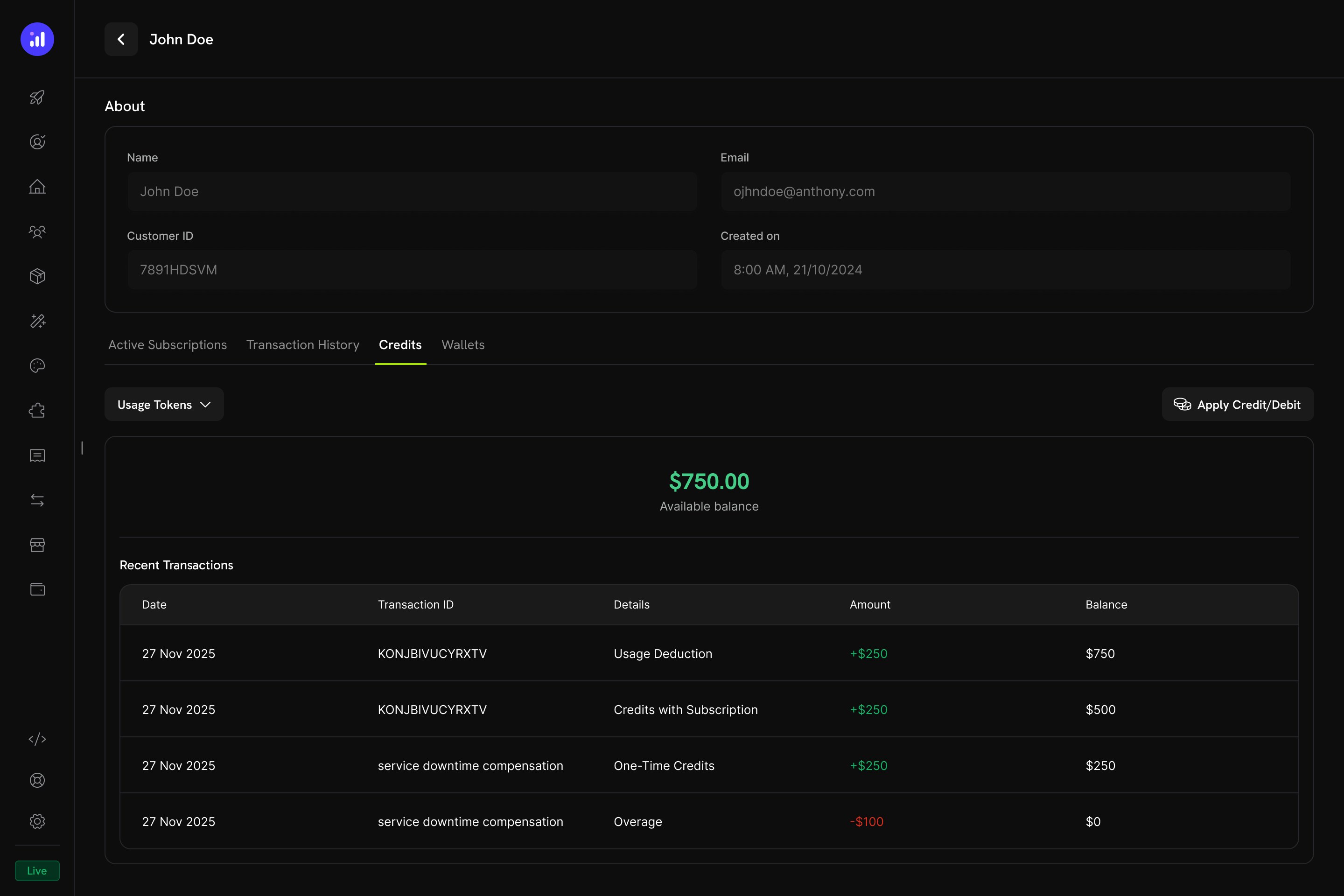
Customer detail page showing credit balance and full transaction ledger.
- Credit Selector - Alternância entre diferentes entitlements de crédito
- Available Balance - Saldo atual exibido em tamanho grande e com destaque
- Apply Credit/Debit - Botão para ajustar manualmente o saldo do cliente
- Recent Transactions - Ledger completo com data, ID da transação, tipo, valor e saldo acumulado
Ajustes manuais
Você pode creditar ou debitar manualmente o saldo de um cliente diretamente pelo dashboard:Navigate to Customer
Open Credits Tab
Apply Credit or Debit
Confirm
manual_adjustment com trilha de auditoria completa.Credit Ledger
Cada operação de crédito é registrada no credit ledger, fornecendo uma trilha de auditoria completa:Webhooks
O Credit-Based Billing dispara eventos de webhook para cada alteração no ciclo de vida dos créditos. Use-os para manter sua aplicação sincronizada com os saldos de crédito, disparar notificações ou criar workflows de cobrança personalizados.credit.*, exceto credit.balance_low) incluem o payload completo CreditLedgerEntry com o saldo antes/depois, o overage antes/depois, a referência da origem e o metadata da assinatura ou pagamento de origem do grant (vazio para grants criados diretamente pela API). O evento credit.balance_low inclui a configuração do limite e o saldo atual.
Credit Webhook Payloads
Gerenciamento da API
Create Credit Entitlements
Create Credit Entitlements
Create Credit Entitlement
List Credit Entitlements
Manage Credit Entitlements
Manage Credit Entitlements
Get Credit Entitlement
Update Credit Entitlement
Delete Credit Entitlement
Undelete Credit Entitlement
Grant and Adjust Credits
Grant and Adjust Credits
Create Ledger Entry
Query Balances and Ledger
Query Balances and Ledger
List Balances
Get Customer Balance
List Customer Grants
List Customer Ledger
Exemplo de integração
Inicialize o cliente Dodo Payments:Exemplos do mundo real
AI SaaS Platform
AI SaaS Platform
- Tipo de crédito: Custom Unit (“AI Tokens”)
- Precisão: 0 (tokens inteiros)
- Rollover: máximo de 25%, período de 1 mês
- Overage: ativado, cobrar overage na cobrança
- Meter:
ai.generationcom agregação Sum no campotokens
API Gateway
API Gateway
- Tipo de crédito: Custom Unit (“API Calls”)
- Precisão: 0 (chamadas inteiras)
- Rollover: desativado
- Overage: planos Developer+ permitem overage (perdoar na redefinição); o plano Free desativa o overage
- Meter:
api.requestcom agregação Count
Cloud Storage Service
Cloud Storage Service
- Tipo de crédito: Unidade personalizada (“GB-hours”)
- Precisão: 2 (duas casas decimais)
- Acúmulo: máximo de 50%, transferido uma vez
- Excedente: Ativado, com um limite de excedente definido em GB-hours
- Medidor:
storage.usagecom agregação por soma
Práticas recomendadas
- Comece de forma simples: Comece com um único tipo de crédito e sem rollover. Adicione complexidade com base no feedback dos clientes e nos padrões de uso.
- Defina expectativas claras: Exiba de forma destacada as alocações de crédito, os saldos restantes e os preços de overage nas páginas do produto e no Customer Portal.
- Use unidades significativas: Dê aos créditos nomes que representem o que eles significam (por exemplo, “API Calls” ou “AI Tokens”), em vez de termos genéricos. Isso ajuda os clientes a entender o valor.
- Configure a expiração com atenção: Períodos curtos de expiração (7 dias) aumentam o senso de urgência, mas podem frustrar os clientes. Períodos mais longos (30–90 dias) são mais adequados para a maioria dos produtos SaaS.
- Monitore saldos baixos: Defina limites de saldo baixo para alertar os clientes antes que os créditos acabem, reduzindo cobranças inesperadas de overage.
- Teste no modo de teste: Crie créditos, associe-os a produtos de teste e simule todo o ciclo de compra → uso → dedução → expiração antes de entrar em produção.